| HIKMICRO HABROK 4K HH35L 2.0 Specifications |
|---|
| Product Overview |
|---|
| Product Series |
HIKMICRO HABROK 4K 2.0 |
| Model |
HH35L 2.0 |
| Product Type |
Handheld multi-spectrum binocular with thermal imaging, digital day/night viewing, infrared illumination and a laser rangefinder |
| Official Model Code |
HM-TSE3-35Y1G/W1LVN-HH35L 2.0 |
| Viewing Channels |
Thermal and digital/optical; selected with the dedicated T/D switch |
| 4K Designation |
Refers to the 3840 × 2160 digital sensor. The thermal sensor is 384 × 288 and the eyepiece display is 1920 × 1080. |
| Thermal Module |
|---|
| Thermal Sensor Type |
VOx uncooled focal plane array |
| Thermal Resolution |
384 × 288 px |
| Pixel Pitch |
12 µm |
| Thermal Sensitivity / NETD |
<15 mK at 25°C, F# = 1.0 |
| Thermal Frame Rate |
50 Hz |
| Response Waveband |
8–14 µm |
| Thermal Optics |
|---|
| Thermal Lens Focal Length |
35 mm |
| Thermal Lens Aperture |
F1.0 |
| Thermal Focus |
Manual, using the rear focus wheel |
| Minimum Thermal Focusing Distance |
5 m |
| Thermal Base Magnification |
4.0× |
| Thermal Magnification Range |
4.0–20.0× |
| Thermal Digital Zoom Factor |
Up to 5× over the 4× base magnification, giving up to 20× total magnification. |
| Thermal Digital Zoom Options |
2×, 3×, 4× and 5× digital zoom |
| Thermal Field of View — Horizontal × Vertical |
7.53° × 5.65° |
| Thermal Field of View at 100 m |
13.16 m × 9.87 m |
| Thermal Detection Range |
Up to 1,800 m. Detection range is not a guaranteed recognition or identification distance. |
| Digital / Optical Module |
|---|
| Digital Sensor Type / Format |
1/1.8-type progressive-scan CMOS |
| Digital Sensor Resolution |
3840 × 2160 px — 4K |
| Digital Lens Focal Length |
60 mm |
| Digital Lens Aperture |
F2.2 |
| Digital Focus |
Manual, using the rear focus wheel |
| Minimum Digital Working Distance |
8 m |
| Digital Base Magnification |
5.5× |
| Digital Magnification Range |
5.5–22.0× |
| Digital-Channel Zoom Factor |
Up to 4× over the 5.5× base magnification |
| Digital Field of View — Horizontal × Vertical |
7.3° × 4.1° |
| Digital Field of View at 100 m |
12.8 m × 7.2 m |
| Digital Viewing Range at Night |
Up to 400 m |
| Infrared Illumination |
|---|
| Default IR Illuminator Wavelength |
940 nm |
| Alternative IR Illuminator Wavelength |
850 nm |
| Replaceable IR Illuminator |
Yes; removable emitter module, interchangeable with a compatible illuminator |
| IR Illuminators Supplied |
940 nm default emitter plus an interchangeable 850 nm emitter. |
| Choosing an IR Emitter |
850 nm for longer-range night viewing; 940 nm for more discreet illumination. |
| IR Output Adjustment |
Selectable illumination level in the device menu |
| Smart IR |
Yes; adjusts infrared intensity to reduce overexposure in night viewing |
| IR Operating Modes |
For digital night viewing; available in night/auto operation when appropriate. Day mode automatically switches the IR light off. |
| IR in Thermal / Standby Mode |
Infrared illumination switches off in thermal and standby modes. |
| Low-Battery IR Limitation |
The IR light cannot be switched on when the battery is low |
| Display, Eyepieces & Viewing Comfort |
|---|
| Display Type |
AMOLED |
| Display Size |
0.49 inch |
| Display Resolution |
1920 × 1080 px — Full HD |
| Exit Pupil |
8 mm |
| Eye Relief |
15 mm |
| Dioptre Adjustment Range |
−5 D to +3 D |
| Dioptre Adjustment |
Adjustment rings at the eyepieces |
| Interpupillary Distance Adjustment |
60–74 mm |
| Eyecups |
Foldable sections for use with glasses. Fold only the flexible section; do not force the fixed section. |
| Display Brightness |
Auto or Manual; automatic mode adjusts to ambient brightness |
| Image Contrast |
Adjustable |
| Image Sharpness |
Adjustable |
| Image Tone |
Cold / Warm |
| Screen Style |
Round / Square; changing the style requires the device to restart |
| Image Processing & Enhancement |
|---|
| Shutterless Imaging |
HSIS — HIKMICRO Shutterless Image System |
| HSIS Behaviour |
Shutterless thermal image correction without routine mechanical calibration interruptions. |
| Manual Flat Field Correction — FFC |
Yes; manual image correction is available when needed. |
| Zoom Pro |
Yes |
| SyncPro |
Yes |
| Electronic Image Stabilisation |
Supported in both thermal and digital channels, starting from 2×. |
| Defective Pixel Correction — DPC |
Yes; user-selectable correction of defective pixels |
| DPC Magnified View |
The selected pixel can be enlarged at the bottom-right of the display; the interface can mirror when the OSD obscures the selected pixel |
| Hot Tracking |
Yes; marks the hottest spot in the scene and updates the marker as the scene changes |
| Burning Prevention |
Selectable sensor-protection function. Keep the lenses away from direct sunlight and other intense heat sources. |
| Thermal Palettes & Digital Viewing Modes |
|---|
| Thermal Colour Palettes |
White Hot, Black Hot, Red Hot, Fusion, Red Monochrome and Green Monochrome |
| Number of Thermal Palettes |
6 |
| Enabled Palette Selection |
Individual thermal palettes can be enabled or disabled; at least one must remain enabled |
| Thermal Scene Modes |
Observation / Detection |
| Digital Display Modes |
Day / Night / Auto |
| Digital Day View |
Colour viewing; infrared illumination is automatically switched off |
| Digital Night Colour Modes |
Black & White / Green / Yellow |
| Automatic Day / Night Switching |
Auto mode switches according to ambient brightness |
| Digital Zoom & Picture-in-Picture |
|---|
| Zoom In / Out Controls |
Dedicated Up and Down buttons |
| Zoom Modes |
Multiple / Continuous |
| Multiple Zoom Mode |
Selects preset digital zoom factors. |
| Continuous Zoom Mode |
Changes zoom using a selectable step |
| Total Magnification Display |
The displayed magnification combines the channel’s base magnification and digital zoom factor |
| Picture-in-Picture — PIP |
Yes; the enlarged central view appears at the upper centre of the screen |
| PIP Zoom Behaviour |
When PIP is enabled, zoom adjustment changes only the PIP view, not the main view |
| PIP Zoom Indicator |
The zoom ratio appears temporarily in the PIP window while zoom is being adjusted |
| PIP with Thermal Main View |
The PIP view can switch between the current thermal palette and the digital/optical channel |
| PIP with Digital Main View |
The PIP view can switch among enabled thermal palettes and the digital/optical channel |
| PIP On / Off Shortcut |
Hold the Down button |
| Laser Rangefinder |
|---|
| Integrated Laser Rangefinder |
Yes |
| Laser Safety Class |
Class 1 |
| Laser Wavelength |
905 nm |
| Minimum Measuring Range |
10 m |
| Maximum Measuring Range |
1,000 m |
| Measurement Accuracy |
±1 m |
| Laser Ranging Modes |
Once / Continuous |
| Single Measurement |
Once mode performs one distance measurement |
| Continuous Measurement |
Repeated distance measurement with a selectable measurement duration |
| Continuous Result Refresh |
Once per second |
| True Horizontal Distance — THD |
Optional display of horizontal distance alongside the straight-line measurement |
| Range Result Position |
Upper centre of the live view |
| THD Result Order |
Straight-line distance first, followed by true horizontal distance |
| Failed Measurement Display |
000 |
| Low-Battery LRF Limitation |
Laser ranging cannot be enabled when the battery is low |
| Measurement Stability |
Hold the binocular steady while measuring to help maintain ranging accuracy. |
| Ballistic Calculation |
|---|
| Built-In Ballistic Calculator |
Yes; provides correction guidance for a separate, already-zeroed riflescope |
| Ballistic Function Role |
Provides adjustment guidance for a separate riflescope; the binocular is a handheld observation device. |
| Ballistic Profiles |
Selectable ammunition profiles. |
| Supported Drag Models |
G1 / G7 / GS |
| Ballistic Profile Inputs |
Initial velocity, altitude, temperature, ballistic coefficient, sight height, zero range and preferred units. |
| Ballistic Output |
Riflescope click-adjustment guidance based on the measured distance and entered ammunition profile. |
| Ranging Integration |
The calculation uses the measured target distance |
| Continuous Ranging Restriction |
Continuous laser ranging is unavailable while ballistic calculation is enabled |
| Recording, Storage & Media |
|---|
| Snapshot Capture |
Yes; press the Capture button |
| Snapshot Confirmation |
The image freezes for approximately one second and a confirmation prompt appears |
| Video Recording |
Yes; hold the Capture button to start or stop recording |
| Recording Time Indicator |
Elapsed recording time is shown on the display |
| Audio Recording |
Yes; built-in microphone records sound with video |
| Audio On / Off |
Selectable in the device menu |
| Internal Storage |
64 GB built-in eMMC |
| Available Storage Display |
Remaining storage space can be checked in Device Information |
| Local Album |
On-device viewing of saved photos and videos |
| Album Organisation |
Automatically grouped by year and month in YYYYMM folders |
| File Order |
Chronological, with the newest files first |
| On-Device Video Playback |
Play / stop controls in the local album |
| On-Device Deletion |
Individual files or albums can be deleted |
| Export to Phone |
Via HIKMICRO Sight, from the device album to the phone’s local albums |
| Export to PC |
USB-C connection with USB Flash Drive mode selected |
| PC File Folder |
DCIM, followed by the relevant YYYYMM folder |
| PC File-Export Limitations |
Recording, snapshots and hotspot are disabled during the PC file-export connection |
| App, Wi-Fi Hotspot & Connectivity |
|---|
| Companion App |
HIKMICRO Sight |
| Mobile Platforms |
iOS / Android |
| Phone Connection Method |
Device Wi-Fi hotspot |
| Selectable Wi-Fi Bands |
2.4 GHz / 5 GHz |
| 5 GHz Use Guidance |
Use 5 GHz for short-range connections within 5 m. Use 2.4 GHz for longer-range connections or phones without 5 GHz support. |
| Remote Access Requirement |
Remote Access must be enabled on the device before connecting the app |
| Connection Confirmation |
Confirm the connection PIN on the binocular to authorise the phone connection |
| Hotspot Name Format |
HIKMICRO_Serial No. |
| Hotspot Password |
Shown in the device’s Hotspot menu |
| Password Change |
Can be changed through HIKMICRO Sight while connected |
| Password after Factory Reset |
The password changes; reconnect the phone using the new credentials |
| App Live View |
The device interface can be viewed on the connected phone |
| App Remote Functions |
Snapshot capture, video recording and parameter adjustment |
| App Media Access |
View device albums and export photos or videos to the phone |
| 2.4 GHz Wi-Fi — CE Frequency / Power Limit |
2.400–2.4835 GHz; 20 dBm |
| 5 GHz Wi-Fi — CE Frequency / Power Limit |
5.15–5.25 GHz; 23 dBm |
| USB-C, PC Screen Casting & Firmware |
|---|
| USB Connector |
USB Type-C |
| USB Functions |
Direct charging, external power, file transfer and PC screen casting |
| USB Flash Drive Mode |
Used for PC file export and transferring a firmware upgrade file |
| PC Screen Casting |
Yes, via USB-C |
| Screen-Casting Protocol |
UVC; requires compatible client software or a player on the PC |
| USB Mode for Screen Casting |
Digital |
| Firmware Updates via App |
Supported through HIKMICRO Sight |
| Firmware Updates via PC |
Supported using USB Flash Drive mode and the correct upgrade package |
| Firmware Version Check |
Device information is available on the binocular; the Sight app indicates when an upgrade is available |
| Digital Compass |
|---|
| Digital Magnetic Compass |
Yes |
| Direction Information |
Azimuth — AZM — and elevation — EL |
| Compass Overlay |
Direction information can appear in live view, captured images and recorded videos |
| Compass Calibration |
Calibrate before first use and after magnetic interference. Calibration is complete when Level 3 is reached. |
| Magnetic Declination Correction |
Quick Correction / Manual Correction |
| Direction Reading Guidance |
Hold the binocular horizontally when reading direction information. |
| Controls & Indicators |
|---|
| Thermal / Digital Selector |
T/D switch: left for digital/optical; right for thermal |
| Rear Focus Wheel |
Manual focus adjustment |
| Power Button |
Press for standby / wake; hold for power on / off |
| Capture Button |
Press for a snapshot; hold to start / stop video recording |
| Measure Button — Live View |
Press to activate ranging, then press to measure; double-press to switch ranging off; hold to open the menu |
| Measure Button — Menu |
Press to confirm or set a parameter; hold to save and exit |
| Mode Button — Thermal |
Press to change palette; hold to change scene mode |
| Mode Button — Digital |
Press to cycle Black & White / Green / Yellow in night mode; hold to switch Day / Night / Auto |
| Up Button |
Press to zoom in; hold for manual FFC; moves upward in menus |
| Down Button |
Press to zoom out; hold to enable / disable PIP; moves downward in menus |
| Power Indicator |
Solid red when the binocular is on |
| Charging Indicator |
Solid red: charging. Solid green: fully charged. Flashing red and green: charging error. |
| Power & Battery |
|---|
| Main Battery System |
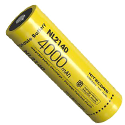
Two replaceable, rechargeable 18650 lithium-ion batteries |
| Batteries Required for Operation |
2 × 18650 batteries; install both for normal operation. |
| Battery Dimensions — Per Cell |
19 mm × 70 mm |
| Battery Capacity — Per Cell |
3,300 mAh |
| Battery Voltage — Per Cell |
3.635 V DC |
| Battery Fit / Compatibility |
Use the manufacturer-specified size and electrical specification; the term 18650 alone does not establish that another cell will fit or is suitable |
| Battery Operating Time |
≥6.5 hours at 25°C, with hotspot and laser rangefinder on |
| Battery Life Note |
Actual battery life varies with environmental conditions and operating settings. |
| USB-C Input |
5 V DC / 2 A |
| External USB Power |
Supported |
| In-Device Charging |
Supported via USB-C with the batteries installed |
| External Battery Charging |
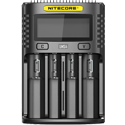
Supported using the battery charger |
| First-Use Charging |
Charge for more than 5 hours before first use. |
| Charging Temperature |
0°C to +55°C |
| Charger Power |
5–10 W; 5 V / 2 A provides the maximum 10 W charging input. |
| Long-Term Storage |
Remove the rechargeable batteries when the binocular will not be used for a long time |
| Battery Storage Maintenance |
Fully recharge stored batteries every 3 months. |
| Power Saving & Screen Behaviour |
|---|
| Manual Standby |
Yes; press the Power button |
| Automatic Screen Off |
Selectable in the device menu |
| Auto Screen-Off Downward Tilt |
70–90° downward |
| Auto Screen-Off Horizontal Rotation |
75–90° |
| Auto Screen-Off Stillness Trigger |
Stationary for 5 minutes |
| Wake by Tilt |
Return to a downward angle of 0–60° or an upward angle of 0–90°. |
| Wake by Horizontal Rotation |
Return to 0–70° |
| Wake by Button |
Press the Power button |
| Auto Screen Off in the Menu |
Does not take effect until the menu is exited |
| Automatic Power Off |
Selectable inactivity period |
| Automatic Power-Off Conditions |
Applies when the device is not being operated and is not connected to HIKMICRO Sight |
| Auto Power-Off Timer Reset |
The countdown restarts after re-entering standby or restarting the device |
| Manual Power-Off Countdown |
Can be cancelled by pressing a button |
| Low-Battery Shutdown |
Automatic low-battery power-off cannot be cancelled |
| System Settings & Security |
|---|
| Date Setting |
Year / month / day |
| Time Setting |
Hour / minute adjustment |
| Clock Format |
12-hour / 24-hour; AM / PM selection with the 12-hour format |
| Language |
Selectable in the device menu. |
| Distance Units |
Selectable in the menu |
| On-Screen Display — OSD |
Time, date and OSD visibility can be adjusted |
| Hide All OSD |
Turning OSD off hides the live-view OSD information |
| Brand Logo Overlay |
Optional logo on live view, snapshots and videos |
| Screen Lock Passcode |
Optional |
| Passcode Prompt |
Required at power-on and when waking from standby while passcode protection is enabled |
| Change Passcode |
Supported through the device menu |
| Forgotten Passcode |
Recovery from the lock screen requires a factory reset |
| Device Information |
Version, serial number and available storage |
| Restore Basic Settings |
Restores brightness, contrast, PIP and other basic settings to their defaults. |
| Factory Reset |
Erases device content and settings, including stored media, passcode and hotspot password |
| Build, Dimensions & Environmental Limits |
|---|
| Protection Rating |
IP67 |
| Weight |
900 g without batteries |
| Dimensions — Width × Depth × Length |
143.1 mm × 74.8 mm × 223.3 mm |
| Operating Temperature |
−30°C to +55°C |
| Operating Humidity |
5–95% |
| Tripod Mounting |
Via the included tripod adapter |
| Mounting Adapter Thread |
1/4″–20 UNC |
| Included Accessories |
|---|
| Main Unit |
HIKMICRO HABROK 4K HH35L 2.0 multi-spectrum binocular |
| Rechargeable Batteries |
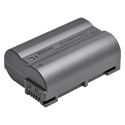
4 × rechargeable 18650 batteries; two required for operation, with a spare pair supplied |
| IR Emitters |
940 nm default emitter and 1 × additional 850 nm replacement emitter |
| Battery Charger |
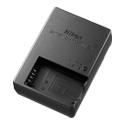
1 |
| USB Cable |
1 × Type-C cable |
| Tripod Adapter |
1 |
| Neck Strap |
1 |
| Binocular Harness |
1 × HM-BINO HARNESS-H |
| Cleaning Cloth |
1 × lint-free cloth |
| Quick Start Guide |
1 |
| Manufacturer Warranty |
|---|
| Components |
3 years |
| Uncooled Thermal Sensor |
10 years |
| Removable Batteries |
1 year |
| Free Registration Extension |
An additional 180 days for eligible binoculars registered to a HIKMICRO account within 30 days of purchase, subject to the warranty terms. |
| Warranty Terms |
Subject to the applicable regional warranty terms and proof of purchase. Your statutory rights are unaffected. |
| Common Questions |
|---|
| Is the thermal image 4K? |
No. The thermal sensor is 384 × 288; the separate digital sensor is 3840 × 2160. |
| Does it offer the same magnification in both channels? |
No. Thermal is 4–20×; digital is 5.5–22×. |
| Is 1,800 m the laser ranging distance? |
No. 1,800 m is the thermal detection specification; the laser rangefinder is specified for 10–1,000 m. |
| Does it need two batteries or four? |
Two are required for operation. The standard package contains four, providing a spare pair. |
| Can the batteries charge inside the binocular? |
Yes, using USB-C with the batteries installed; the supplied external charger is another option. |
| Can thermal and digital views be seen together? |
Yes. Picture-in-Picture can show a thermal main view with a digital inset, or a digital main view with a thermal inset. |
| Does shutterless mean manual correction is unavailable? |
No. HSIS is supported and manual FFC is still available when needed. |
| Can it display its view on a PC? |
Yes, through a UVC-compatible player using USB-C and Digital mode. |
| Can it continuously range while ballistic calculation is enabled? |
No. Use single measurements when ballistic calculation is enabled. |