| HIKMICRO NEOS NE25 Specifications |
| Product Overview |
| Product Series |
HIKMICRO NEOS |
| Model |
NE25 |
| Product Type |
Thermal Rifle Scope |
| Official Model Code |
HM-TR32-25Y1G/W1-NE25 |
| Quick Start-Up |
1-second quick start-up |
| Quick Zeroing |
Yes, Quick Zeroing via HIKMICRO Sight App |
| Best Suited For |
Compact thermal observation, hunting use, 30 mm tube mounting, straightforward thermal imaging and lighter-weight field use |
| Thermal Module |
| Thermal Sensor Type |
VOx uncooled focal plane arrays |
| Thermal Resolution |
256 × 192 px |
| Pixel Pitch |
12 μm |
| Thermal Sensitivity / NETD |
<18 mK @ 25°C, F# = 1.0 |
| Refresh Rate |
50 Hz |
| Response Waveband |
8 μm to 14 μm |
| Optics |
| Objective Lens |
25 mm |
| Aperture |
F1.0 |
| Focus Mode |
Manual focus ring |
| Minimum Focusing Distance |
3 m |
| Base Magnification |
3.5× |
| Magnification Range |
3.5× to 24.5× |
| Digital Zoom |
Yes, adjustable by wheel with Zoom Pro enhancement |
| Field of View |
7.0° × 5.3° |
| Field of View at 100 m |
12.2 m × 9.3 m |
| Detection Range |
Up to 1200 m |
| Image & Display |
| Display Type |
0.49-inch AMOLED display, 1920 × 1080 |
| Colour Palettes |
Black Hot, White Hot, Red Hot, Fusion, Red Monochrome, Green Monochrome |
| Custom Enabled Palettes |
Yes, palettes can be enabled or disabled in the menu |
| Brightness Adjustment |
Yes |
| Contrast Adjustment |
Yes |
| Tone Adjustment |
Cold / Warm |
| Sharpness Adjustment |
Yes |
| Scene Modes |
Observation / Detection |
| Defective Pixel Correction |
Yes |
| Exit Pupil |
8 mm |
| Eye Relief |
55 mm |
| Diopter Adjustment |
-4D to +4D |
| Image Processing |
| Image Processing |
Image Pro 3.0 |
| Digital Zoom Enhancement |
Zoom Pro |
| Shutterless Viewing |
HSIS — HIKMICRO Shutterless Image System |
| Aiming Synchronisation |
Sync Pro algorithm |
| FFC / Non-Uniformity Correction |
Yes, hold the FFC key to correct display non-uniformity |
| Picture-in-Picture |
Yes |
| PIP View Behaviour |
When enabled, PIP displays a magnified view of the aiming area |
| PIP Zoom Behaviour |
When PIP is enabled, only the PIP view zooms when adjusting digital zoom |
| PIP Zoom Display |
Zoom ratio is temporarily displayed in the PIP view when adjusting digital zoom |
| Hot Tracking |
Yes |
| Burning Prevention |
Yes |
| Pitch Scale |
Yes |
| Zeroing & Reticle |
| Zeroing |
Yes |
| Freeze Zeroing |
Yes |
| Click Value |
1 click = 1 cm @ 100 m |
| Zeroing Profiles |
5 profiles |
| Reticles per Profile |
5 reticles can be configured in each zeroing profile |
| Reticle Mode |
Central Reticle / Fixed Reticle |
| Central Reticle Mode |
Centres around the reticle when switching digital zoom; reticle and zoomed image move to the centre of the display |
| Fixed Reticle Mode |
Centres around the reticle when switching digital zoom; reticle position remains unchanged |
| Reticle Off Option |
Yes, OFF can be selected to turn the reticle off |
| Reticle Type Selection |
11 selectable reticle types |
| Bullet Name Setting |
Yes, bullet name can be set for the reticle |
| Reticle Opacity |
Adjustable; opacity cannot be set when reticle type 5 is selected |
| Reticle Colour Selection |
Yes |
| Reticle Centre Colour Selection |
Yes, reticle centre colour can be set separately |
| Reticle Information Display |
Displayed at the top right of the image, e.g. A3-100m |
| PIP Reticle Note |
Detail of reticle type 11 is not displayed in PIP view |
| Reticle Correction on Device |
Yes |
| Reticle Correction via App |
Yes, via HIKMICRO Sight Quick Zero |
| App Quick Zero |
Select profile and reticle, input target distance, select digital zoom, enter point-of-impact deviation and apply to the device |
| Maximum Recoil Resistance |
1000 g / 0.4 ms |
| Recording, Storage & Media |
| Snapshot Capture |
Yes, press Capture key |
| Capture Confirmation |
Image freezes for about one second and a prompt shows on the display after successful capture |
| Video Recording |
On-board video recording |
| Recording Control |
Hold Capture key to start or stop video recording |
| Recording Time Display |
Recording time is displayed at the top of the screen while recording |
| Audio Recording |
Yes, built-in microphone |
| Audio On / Off Setting |
Yes, audio recording can be enabled or disabled |
| Recoil-Activated Recording |
Yes |
| Prerecord Video |
Yes |
| Prerecord Video Options |
5+5s, 10+10s, 15+15s, 15+25s, or OFF |
| Local Album |
Yes |
| Album Naming |
Albums are automatically named by year and month, e.g. 202605 |
| File Order |
Files are arranged chronologically with the newest at the top |
| Internal Storage |
Built-in 64 GB EMMC |
| Export Files via App |
Yes, via HIKMICRO Sight to local phone albums |
| Export Files via PC |
Yes, via USB-C cable and USB Flash Drive mode |
| PC Export Folder |
DCIM folder, then the year-month folder such as DCIM > 202605 |
| PC Connection Limitation |
Recording and capturing are disabled while connected to PC |
| App, Hotspot & Connectivity |
| App Support |
HIKMICRO Sight App |
| iOS App Support |
Yes |
| Android App Support |
Yes |
| Hotspot Connection |
Yes |
| Hotspot Name Format |
HIKMICRO_Serial No. |
| Hotspot Password |
Displayed in the device hotspot menu |
| Remote Access |
Yes, must be enabled for app connection |
| App Live View / Preview |
Yes, device interface can be viewed on phone after connection |
| App Remote Control |
Yes |
| App Parameter Setting |
Yes, settings can be configured through HIKMICRO Sight after connection |
| Hotspot Auto-Off |
Yes, hotspot turns off if there is no connection for over 10 minutes |
| Hotspot Password Change |
Can be changed through HIKMICRO Sight app when connected |
| Hotspot Password After Reset |
Password updates after device reset, so the phone must reconnect to the hotspot |
| Wi-Fi Regulatory Band / Power |
2.4 GHz Wi-Fi, 2.4 GHz to 2.4835 GHz, 20 dBm |
| Bluetooth |
No listed Bluetooth function |
| USB-C, PC & Screen Casting |
| USB Interface |
USB Type-C |
| USB Charging |
Yes, built-in battery only |
| USB Data Transfer |
Yes |
| USB Flash Drive Mode |
Yes, used for file export and PC firmware upgrade |
| PC Screen Casting |
Yes, device screen can be cast to PC |
| PC Screen Casting Protocol |
UVC protocol-based streaming media player |
| Screen Casting USB Mode |
Digital mode via USB Type-C cable |
| First PC Connection |
Drive program installs automatically when first connected to PC |
| Firmware Upgrade via App |
Yes |
| Firmware Upgrade via PC |
Yes, copy upgrade file to root directory in USB Flash Drive mode |
| Controls & Button Functions |
| Wheel |
Rotate to switch digital zoom in non-menu mode; rotate to move up/down in menu mode |
| Capture Key |
Press for snapshot; hold to start/stop video recording |
| Menu Key |
Press to switch palettes in non-menu mode; hold to enter menu |
| Menu Key in Menu Mode |
Press to confirm/set parameters; hold to save and exit |
| Power Key |
Press for standby/wake; hold for power on/off |
| FFC Key |
Hold to correct non-uniformity of display |
| Wheel Lock |
Yes, hold Capture Key + FFC key to lock or unlock the wheel |
| Charging Indicator |
Flashing red/green = error, solid red = charging, solid green = fully charged |
| Power & Battery |
| Battery System |
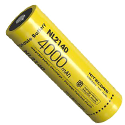
One internal rechargeable lithium-ion battery and one replaceable rechargeable 18650 battery |
| External Battery Type |
Rechargeable 18650 |
| External Battery Size |
19 mm × 70 mm |
| External Battery Voltage |
3.635 V |
| External Battery Capacity |
3300 mAh |
| Built-In Battery Size |
23 mm × 67 mm |
| Built-In Battery Voltage |
3.635 V |
| Built-In Battery Capacity |
3350 mAh |
| Battery Priority |
External battery first, then built-in battery |
| Operating Time |
9.5 hours continuous running at 25°C with Zoom Pro on |
| USB-C Power Supply |
5 V DC / 2 A, USB Type-C interface |
| Fast Charging Support |
QC3.0 |
| First Charge Time |
Charge for more than 4 hours before first use |
| USB-C Charging Note |
Only the built-in battery charges via USB-C; external battery should be charged with the battery charger |
| External Battery Storage Note |
Remove the external battery if the device will not be used for a long time |
| Long-Term Battery Care |
For long-term storage, fully charge the battery every 3 months to maintain battery quality |
| Built-In Battery Charging Temperature |
0°C to 45°C |
| External Battery Charging Temperature |
0°C to 55°C |
| Power Saving & Screen Behaviour |
| Standby Mode |
Yes |
| Auto Power Off |
Yes, selectable in menu |
| Auto Screen Off |
Yes |
| Auto Screen Off Tilt Trigger |
Tilt downwards more than 70° |
| Auto Screen Off Rotation Trigger |
Rotate horizontally more than 45° |
| Auto Screen Off Stillness Trigger |
Keep still for 5 minutes |
| Wake from Auto Screen Off |
Tilt, rotate, or press Power key |
| Low Battery Auto Power-Off |
Yes, cannot be cancelled |
| System Settings |
| Date Setting |
Yes, year / month / day can be adjusted |
| Time Synchronisation |
Yes |
| Clock Format |
24-hour / 12-hour selectable |
| 12-Hour Clock |
AM / PM selectable |
| Language Setting |
Yes |
| Unit Setting |
Yes, unit can be switched where applicable |
| OSD Setting |
Yes, time/date/OSD information can be shown or hidden |
| Screen Style |
Round or square screen style |
| Brand Logo Display |
Yes, can be set in menu and displayed on live view, snapshots and videos |
| Screen Lock Passcode |
Yes |
| Passcode Requirement |
When enabled, passcode is required when the device is powered on or woken from standby |
| Forgotten Passcode |
Reset from the lock screen requires a factory reset |
| View Device Information |
Yes, shows version, serial number and available storage space |
| Restore Device |
Restores basic settings such as brightness, contrast and PIP to defaults |
| Reset Device |
Erases all content and settings, including basic settings, storage, passcode, hotspot password and zeroing |
| Build & Durability |
| Main Tube Diameter |
30 mm |
| Mounting Standard |
Standard 30 mm |
| Mounting |
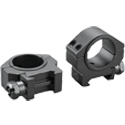
30 mm ring mounting; ring may vary by package and may be purchased separately |
| Protection Rating |
IP67 |
| Centre Height |
32 mm |
| Dimensions |
345.6 mm × 86.1 mm × 56.1 mm |
| Weight |
540 g |
| Working Temperature |
-30°C to 55°C (-22°F to 131°F) |
| Included Accessories |
| Included in the Box |
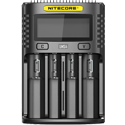
HIKMICRO NEOS NE25 Thermal Rifle Scope, quick start guide, Type-C cable, lint-free cloth, rechargeable battery and battery charger |
| Quick Start Guide |
Included |
| Type-C Cable |
Included |
| Lint-Free Cloth |
Included |
| Battery |
Included |
| Battery Charger |
Included |
| Scope Ring Included |
May vary by package; manual notes that the ring may need to be purchased separately |
| Warranty |
| Unit Warranty |
3 years |
| Battery Warranty |
1 year |
| Common Questions |
| Does the NE25 have a built-in laser rangefinder? |
No. The NE25 is the non-rangefinding model in the NEOS range. |
| Does it record video? |
Yes, on-board video recording is supported |
| Does it record audio? |
Yes |
| Does it take snapshots? |
Yes |
| Does it connect to a phone? |
Yes, through the HIKMICRO Sight App via hotspot |
| Can the phone show live view? |
Yes, the device interface can be viewed on the phone once connected |
| Can it export files to a PC? |
Yes, using USB-C and USB Flash Drive mode |
| Can it cast the device screen to a PC? |
Yes, using UVC protocol-based screen casting over USB-C |
| Does it use a 30 mm tube? |
Yes |
| Is it waterproof? |
Yes, IP67 rated |
| Does it have shutterless viewing? |
Yes, HSIS shutterless image system |



























 More on the way