






























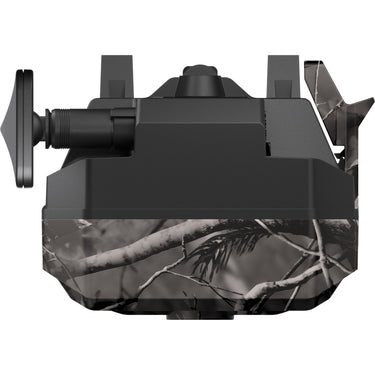
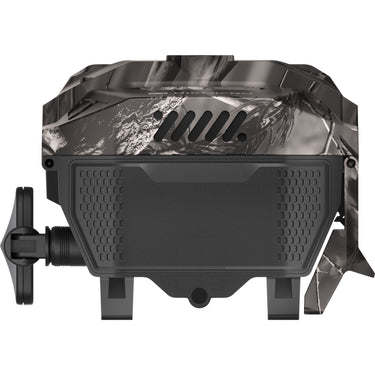
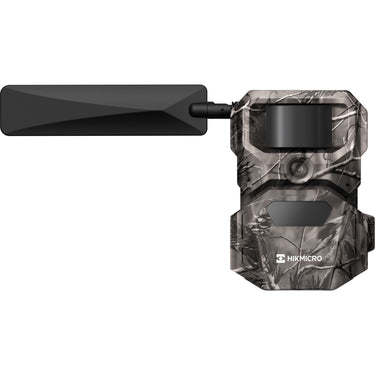
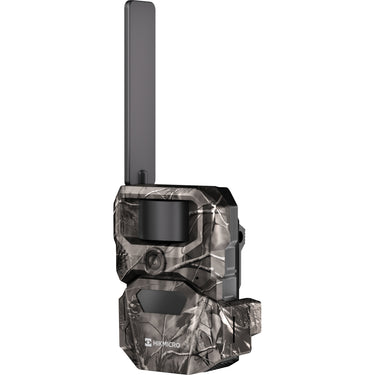
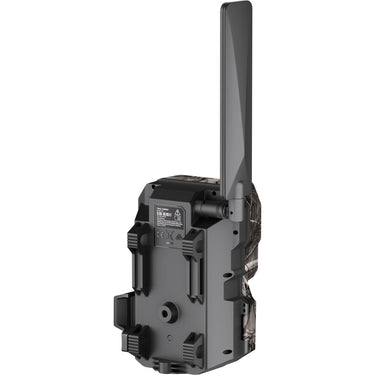
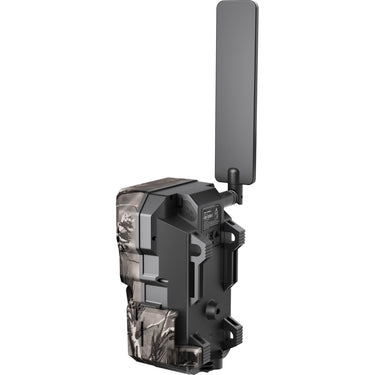
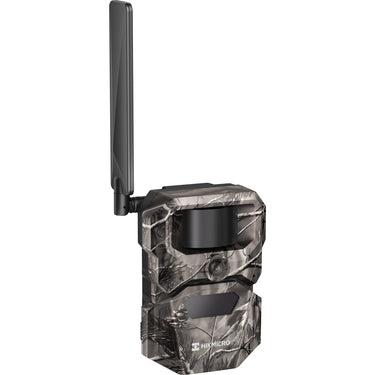

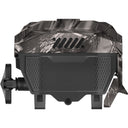
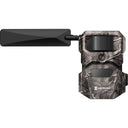
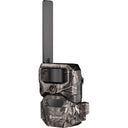


The HIKMICRO T16 is designed for hunters and wildlife observers who want reliable remote monitoring while reducing the need for frequent visits to the camera. It combines a native 6MP sensor with up to 24MP photo output, 1080p video recording, selectable 60° and 100° fields of view, and a 25 m detection range for flexible coverage across different environments.
HIKMICRO T16 Smart 4G Trail Camera 24MP 100° FOV
 Authorised Dealer
Our Price
$399
/
Frequently bought with


Dual PIR sensors and a fast 0.4-second trigger help capture movement accurately, while 940nm no-glow infrared illumination supports discreet nighttime monitoring. Integrated 4G connectivity, HIKMICRO Sight app control and 64GB of built-in storage make it easier to monitor wildlife activity and manage captured media remotely.

Unmatched Clarity, Coverage, & Detection
24MP Ultra-Clear Sensor & 1080P Video for Exceptional Detail
Built on a native 6MP sensor, the T16 delivers up to 24MP high-resolution images and 1080P HD video, ensuring every detail is captured with stunning clarity. Whether taking photos or recording footage, the Trial camera T16 preserves sharp textures, vivid colors, and clear movement both day and night. Equipped with a 940nm no-glow infrared illumination system, it enables discreet night vision without disturbing wildlife—capturing natural behavior even in complete darkness, so you never miss a critical moment in the field.


Dual Field-of-View with 25m detection Range for Wide-Area Monitoring
With 60° and ultra-wide 100° options—the widest in its class—the HIKMICRO T16 adapts to any environment, capturing not only the subject in front but the full surrounding scene. Its 25 meter detection range ensures reliable monitoring across large areas for complete situational awareness.
Dual PIR Sensors & Fast Trigger Speed for Wider, More Accurate Detection
Equipped with dual PIR sensors, Trail Camera T16 expands motion detection coverage and improves sensitivity to real movement. Advanced algorithms effectively filter out interference from wind, leaves, and background noise—reducing false triggers and unnecessary data uploads. With an ultra-fast 0.4s trigger speed, it reacts instantly to animal movement, capturing fast action without missing key moments.
Real-Time Preview for Easy Device Positioning
During the installation process, simply connect to the Trail camera’s Wi-Fi hotspot to view a real-time preview directly on your phone. This allows hunters to adjust the angle and placement instantly based on the real-time feed, ensuring your target area is always perfectly in frame.
One-Tap Connection with SightApp
Simply scan with Sight App, and your Trail camera T16 connects instantly—no complicated setup required. The improved connection logic ensures a smoother pairing process, while smart reconnection reminders notify you if the signal drops, keeping your device reliably linked even in remote environments.
Smart Ecosystem, Fully Connected with HIKZone
HIKZone transforms your camera into an intelligent outdoor monitoring system. Working seamlessly with the HIKMICRO Sight App, it gives you a clear, map-based interface where hunters can visualize entire setup — including camera locations, coverage areas, and active zones. Real-time outdoor updates are delivered straight through the app, helping hunters understand movements and changes as they happen. Wildlife detections appear as blurred, approximate markers, providing useful directional insights without revealing precise coordinates.
24/7 Smart Support
Stay supported in the field with HIKMICRO’s 24-hour intelligent service. Available directly through the HIKMICRO Sight App (Me → Contact Us), our platform integrates AI and live human experts to provide instant troubleshooting and technical guidance for T16. From service requests to expert advice, we’ve got you covered—anytime, anywhere.

Stable 4G Connectivity for Reliable Remote Monitoring
HIKMICRO Trail camera T16 connects through global 4G networks, ensuring stable and reliable data transmission across a wide range of environments. With broad carrier compatibility, T16 maintains consistent connectivity in remote and outdoor locations, allowing images and videos to be delivered quickly and reliably. This ensures hunters stay connected to Trail camera and receive important updates whenever activity occurs.

Multi-Regional Connectivity
Optimized data plans support dependable remote connectivity across compatible countries and regions, making it easier to deploy and manage the T16 in more locations.

Expanded Battery Capacity for Long-Term Deployment
The HIKMICRO T16 supports 12× AA batteries, providing versatile power for long-term deployment. This high-capacity design significantly reduces field visits and maintenance. For maximum endurance, add our optional low-light solar panels for a continuous, sustainable power supply.

Integrated 64GB Secure Storage
Start capturing immediately with 64GB of built-in storage. By eliminating the need for external SD cards, the HIKMICRO T16 ensures a seamless setup and zero risk of memory card failure, providing uncompromising reliability in even the harshest outdoor conditions.

Secure Cloud Storage and Certified Data Protection
The HIKMICRO Sight App connection process is fully compliant with the latest CE RED Directive (2014/53/EU) and EN 18031 cybersecurity standards, ensuring secure and reliable communication. To guarantee maximum privacy, all your Trail camera data is hosted on servers within Europe, regardless of your operating region. Images and data are fully encrypted during both transmission and storage, ensuring your information remains protected under strict European security protocols at every step.
Hikmicro M16 | Smart in the Wild
More Features (Solar Sold Seperately)
| HIKMICRO T16 Trail Camera Overview | |
|---|---|
| Brand | HIKMICRO |
| Model | T16 |
| Product Type | 4G cellular trail camera / wildlife monitoring camera |
| Primary Uses | Wildlife observation, game monitoring, property activity monitoring, outdoor trail surveillance and remote field deployment |
| Remote Platform | HIKMICRO Sight app for iOS and Android |
| Cloud | A HIKMICRO data plan is required for cloud album access and file reception through the app |
| Headline Features | |
|---|---|
| 4G Remote Monitoring | View captured photos, GIF previews and requested media through the HIKMICRO Sight app when the camera has coverage and an active plan |
| Dual Field of View | 100° wide-angle coverage for broad area monitoring or 60° narrower coverage for more focused observation |
| Up to 24MP Photo Output | Native 6MP sensor with selectable photo output up to 24MP |
| Fast Trigger | 0.4-second trigger speed |
| No-Glow Night Operation | 2 × 940nm infrared LEDs for low-visibility night capture |
| Built-In Storage | 64GB internal eMMC storage; no SD card is required |
| Flexible Power | Runs from 12 × AA batteries or supported external power |
| Photo & Imaging Specifications | |
|---|---|
| Native Sensor Resolution | 6MP |
| Maximum Photo Output | Up to 24MP |
| Selectable Photo Sizes | 6MP, 12MP and 24MP |
| Standard App / Cloud Photo | 1280 × 720 photo transmission under the standard data-plan allowance |
| Photo Format | JPG |
| Capture Mode | Colour by day; black and white by night |
| Day / Night Switching | Automatic via ambient light sensor |
| Camera Modes | Photo, Video, or Photo & Video |
| Image Size Control | Selectable image size in megapixels. Higher resolution increases detail, storage use and HD upload time |
| Burst Capture | 1, 2 or 3 photos per trigger |
| Burst Controls | Burst count, burst interval and uploaded image number are selectable |
| Scheduled Capture | Fixed-interval capture can be enabled independently of PIR activation |
| Video & Audio Specifications | |
|---|---|
| Video Format | MP4 |
| 1080p Video | 1920 × 1080 at up to 10 seconds |
| 720p Video | 1280 × 720 at up to 20 seconds |
| WVGA Video | 848 × 480 at up to 30 seconds |
| Audio Recording | Built-in microphone; audio can be enabled or disabled for video recording |
| Video Event Preview | When video mode is used, a GIF preview is pushed to the app in real time |
| Photo & Video Mode | When Photo & Video is selected, both the photo and the GIF preview are pushed to the app |
| Full Video Request | Full-resolution video can be requested from the cloud album when the required plan or add-on entitlement is available |
| Lens, Field of View & Detection | |
|---|---|
| Selectable FOV | 60° or 100° |
| 100° Mode | Wider observation range for broad scene coverage |
| 60° Mode | Narrower field of view for observing more distant targets |
| PIR Sensor | Passive infrared motion detection |
| PIR Detecting Distance | Up to 25m / 82ft |
| Trigger Speed | 0.4 seconds |
| PIR Sensitivity | High, Medium or Low |
| Sensitivity Behaviour | Higher sensitivity helps detect smaller, faster or more distant heat sources, but may increase false triggers |
| Minimum PIR Trigger Interval | Adjustable in hh:mm:ss format to reduce repeated captures while activity remains in front of the camera |
| Night Vision & Infrared | |
|---|---|
| Infrared Emitters | 2 × 940nm no-glow infrared LEDs |
| Night Image Output | Black and white |
| Infrared Power Levels | SmartIR, High, Medium and Low |
| SmartIR | Automatically adjusts infrared intensity according to ambient brightness and is recommended for most situations |
| High IR Setting | Can brighten low-light scenes but may increase local overexposure and reduce battery life |
| 4G, SIM & Wireless Connectivity | |
|---|---|
| Cellular Network | 4G LTE |
| SIM | Pre-installed HIKMICRO SIM card |
| Compatible SIM Cards | The pre-installed HIKMICRO SIM card or another HIKMICRO SIM card can be used |
| Third-Party SIM Cards | SIM cards from other providers are not supported |
| SIM Slot | Physical SIM card slot inside the camera |
| SIM Reinstallation | Normally unnecessary; the camera must be restarted after SIM reinstallation |
| Antenna | Pre-installed adjustable antenna for wireless signal transmission and reception |
| Local Wi-Fi | Used for setup, app connection and live view while the camera is in Setup mode |
| Wi-Fi Live View Range | Up to 15m when connected in Setup mode |
| QR Pairing Window | Scan the internal QR code within 5 minutes after switching to Setup mode |
| Remote App Connection | 4G connection is used for remote cloud delivery and remote control functions |
| Radio Frequency & LTE Band Information | |
|---|---|
| Wi-Fi Frequency | 2.4GHz to 2.4835GHz |
| Wi-Fi Transmit Power | 20dBm nominal limit |
| LTE Europe / Australia Bands | Band 1, Band 3, Band 5, Band 7, Band 8, Band 20 and Band 28 |
| LTE Europe / Australia Uplink Ranges | B1: 1920–1980MHz; B3: 1710–1785MHz; B5: 824–849MHz; B7: 2500–2570MHz; B8: 880–915MHz; B20: 832–862MHz; B28: 703–748MHz |
| LTE Europe / Australia Power Classes | 25dBm class 3 for Bands 1, 3 and 7; 23dBm class 3 for Bands 5, 8, 20 and 28 |
| LTE Latin America Bands | Band 2, Band 3, Band 4, Band 5, Band 7, Band 8, Band 28 and Band 66 |
| LTE Latin America Uplink Ranges | B2: 1850–1910MHz; B3: 1710–1785MHz; B4: 1710–1755MHz; B5: 824–849MHz; B7: 2500–2570MHz; B8: 880–915MHz; B28: 703–748MHz; B66: 1710–1780MHz |
| HIKMICRO Sight App Functions | |
|---|---|
| Supported Systems | iOS and Android |
| Device Activation | Scan the QR code inside the protective cover and follow the app prompts |
| Device Card | Shows device name, connection status, battery level and current mode |
| Device Status | Signal strength, temperature, battery level, internal storage usage and operating status |
| Remote Settings | Remote Control, PIR sensitivity, PIR interval, working periods, daily upload limit, camera mode, image size, video settings, burst capture, scheduled capture, FOV, OSD, storage, GPS and infrared power |
| Device Upgrade | Check and perform firmware upgrades |
| Share Device | Create sharing groups and share the camera with other users |
| Warranty | View warranty details |
| Online Service | Access FAQ and troubleshooting support |
| GPS Service | View device location |
| Remote Control & Upload Management | |
|---|---|
| Real-Time Mode | Photos/GIFs, requested HD photos/videos and app setting changes are pushed or applied in real time |
| Real-Time Power Use | Uses more power than Delay mode |
| Delay Mode | Selectable from 0.5h to 24h |
| Delay Mode Behaviour | Photos/GIFs still push in real time; requested HD photos/videos and remote setting changes take effect after the delay time or when the camera next goes online to push files |
| Delay Timer Reset | The delay timer resets each time the camera captures and pushes a file |
| Working Periods | Up to 3 daily working periods can be set |
| Outside Working Periods | The camera will not push photos/videos to the app outside the selected periods |
| Daily Upload Limit | Limits the number of files uploaded to the cloud album per day |
| After Daily Limit | Photos and videos beyond the daily upload limit are stored in internal storage and are not uploaded |
| LTE One-Tap Capture Requirements | LTE connection, Real-Time remote-control mode, active data plan and upload limit not exceeded |
| Album, Cloud & File Management | |
|---|---|
| Album Types | Local, Cloud Album and Device |
| Local Album | Photos/videos saved to the phone album |
| Cloud Album | Photos/videos uploaded to cloud storage |
| Device Album | Photos/videos saved in internal camera storage |
| File Filtering | Filter by time, clarity and tag |
| File Categories | View pictures only, videos only or all files |
| File Information | File name, capture time, size and tags where available |
| Tags | Up to 5 tags can be attached to a cloud-album file; custom tags are supported |
| HD Resource Request | HD resources can be requested from cloud-album files after a data plan has been purchased |
| Download | Files can be downloaded to local storage through the app where supported |
| Share | Local album files can be shared from the app |
| Delete | Cloud and local files can be deleted where permissions allow |
| Internal Storage & USB Export | |
|---|---|
| Internal Storage | 64GB built-in eMMC |
| Memory Card Requirement | No removable SD card is required |
| Free Space Threshold | Adjustable free-space reminder threshold |
| Loop Overwrite Enabled | Oldest files are overwritten when storage is full |
| Loop Overwrite Disabled | The camera cannot take new photos/videos when internal storage is full |
| Formatting | Internal storage can be formatted from the app |
| USB Export | HD photos and videos can be exported to a PC through USB Type-C |
| PC Export Folder | Open the camera disk and copy files from the DCIM folder |
| First PC Connection | The driver installs automatically on first connection |
| USB Data Mode | Image capture is suspended and cloud service goes offline while connected to a PC |
| GPS, OSD & System Tools | |
|---|---|
| GPS | Displays and updates camera location |
| Image Location Data | Captured images can include location data when GPS is enabled |
| Location Change Reminder | Pushes a reminder when the camera location changes by more than 100m |
| OSD Items | Brand logo, battery, moon phase, temperature, date and time |
| Date Formats | MM-DD-YYYY or DD-MM-YYYY |
| Time Sync | Camera time can be synchronised from the app |
| Device Diagnostics | Operation logs can be collected for troubleshooting |
| Security Version | Product Security Redline V4 |
| Power & Battery Specifications | |
|---|---|
| AA Battery Option | 12 × 1.5V AA batteries |
| AA Battery Electrical Format | DC 1.5V × 6 × 2 sets / 1.5A |
| External DC Input | 12V DC / 1A through a 4.4 × 1.65mm socket |
| Alternative Power Input Requirement | 5V / 2A listed in the power-supply requirements |
| Batteries Included | No |
| Battery Life Factors | Battery type, capacity, quality, temperature, signal strength, capture frequency, infrared setting, upload volume and remote-control mode all affect runtime |
| Physical Design, Mounting & Environment | |
|---|---|
| Dimensions | 179.5 × 120.3 × 85.0mm |
| Weight | 475g without batteries |
| Protection Level | IP66 |
| Operating Temperature | -20°C to 55°C / -4°F to 131°F |
| Operating Humidity | 5% to 90% |
| Strap Mounting | Rear strap attachment points for tree or pole mounting |
| Tripod Mount | Standard 1/4" tripod mounting thread |
| Mounting Thread | 1/4"-20 UNC |
| Security Points | Lock holes for securing the protective cover and camera with a compatible tie, strap or locking accessory |
| Tripod Included | No |
| Physical Controls & Interfaces | |
|---|---|
| PIR Sensor | Detects movement and triggers capture |
| Lens | Views the target area |
| Ambient Light Sensor | Switches day/night imaging mode |
| Cover Latch | Locks the protective cover |
| Capture Key | Captures a picture while in Setup mode |
| On / Off / Setup Switch | Turns the camera on/off or enables pairing and app configuration |
| Release Button | Releases the battery compartment |
| Reset Key | Hold in Setup mode to restore factory-default settings |
| Infrared Light | Illuminates low-light scenes |
| Microphone | Records sound |
| USB Type-C Interface | Exports files through USB connection |
| DC Power Interface | 4.4 × 1.65mm external power socket |
| Antenna | Wireless transmission and reception |
| Indicator Behaviour | |
|---|---|
| Off to Setup — Initialising | Flashing green for approximately 5 seconds |
| Setup Ready — Battery Sufficient | Solid green when ready for Wi-Fi connection and battery level is at least 10% |
| Setup Ready — Battery Low | Solid red when ready for Wi-Fi connection and battery level is below 10% |
| Capture Activated | Flashing green for approximately 2 seconds |
| Setup to On | Flashing green for approximately 10 seconds, then off; the camera enters remote working mode and Wi-Fi turns off |
| Data Plan Tiers | ||||
|---|---|---|---|---|
| Plan | Allowance | Monthly Price | Yearly Price | Cloud Retention |
| Basic | 200 photos / month | €2.99 | €32.28 | 3 months |
| Premier | 500 photos / month | €4.99 | €45.48 | 6 months |
| Supreme | Unlimited | €11.99 | €107.88 | 12 months |
| Data Plan Credits, Add-Ons & Sharing | |
|---|---|
| Standard Plan Photo Quality | 1280 × 720 photo transmission |
| Basic Approx. Cost / Photo | €0.011 to €0.015 |
| Premier Approx. Cost / Photo | €0.006 to €0.010 |
| Supreme Approx. Cost / Photo | €0.001 to €0.006 depending on usage |
| Refill Credit Pack | 100 standard 1280 × 720 photo uploads for €1.49 |
| Refill Credit Expiry | Unused refill credits do not expire |
| Refill Credit Cloud Retention | 3 months |
| Consumption Priority | The active monthly subscription allowance is used first, then refill credits are consumed |
| HD Photo Pack | 50 higher-resolution photo requests for €3.99; listed output is 2304 × 1296 |
| HD Video Pack | 50 full video requests for €5.99 |
| HD Video Pack Formats | 1920 × 1080 / 10 sec; 1280 × 720 / 20 sec; 848 × 480 / 30 sec |
| GIF Preview Credit Use | Each GIF preview uses 1 upload credit |
| Multi-Device Discount | Tiered savings begin from the second camera and can reach up to 20% |
| Shared Data Pool | Multiple T16 cameras on the same eligible plan can share one data pool |
| Package Contents | |
|---|---|
| Camera | HIKMICRO T16 trail camera with pre-installed antenna |
| SIM | Pre-installed HIKMICRO SIM card |
| Battery Compartment | Camera battery compartment plus an additional alternative compartment for the supported AA configuration |
| Mounting | Installation strap |
| Cable | USB cable |
| Documentation | Quick Start Guide |
| Important Plan Notes | |
|---|---|
| Plan Purchase Location | Data plans are purchased and managed in the HIKMICRO Sight app |
| Regional Pricing | Prices shown above are euro pricing from HIKMICRO plan information; billing currency, taxes, availability and local pricing may differ by region |
| Cloud Access | A data plan is required to use the cloud album and receive files through the app |
| HD Resource Requests | HD photo and video requests require an eligible plan or add-on entitlement |
| Cloud Retention | Cloud retention is not permanent archive storage; important files should be downloaded and backed up locally |
| Plan Ownership | The purchased data plan is bound to the current HIKMICRO Sight account |
| Unbinding | Unbinding a camera clears cloud-album data and binding to another account may require a new data-plan purchase |
| Important Operating Notes | |
|---|---|
| Setup Mode | After configuration, switch the camera from Setup to On. Remaining in Setup mode significantly increases power consumption |
| Antenna | Do not force the antenna beyond its mechanical rotation limits |
| Battery Matching | Do not mix batteries with significantly different voltage, condition, chemistry or state of charge |
| Battery Removal | Remove batteries if the camera will not be used for an extended period |
| Storage Formatting | Formatting internal storage permanently clears stored files |
| USB Connection | When connected to a computer, image capture is suspended and the camera is offline from cloud service |
| Connectivity | Remote transmission depends on supported network coverage, signal strength, terrain, foliage, weather, antenna position and network congestion |
| Firmware / App Updates | Product functions, app menus, plan rules and service availability can change through firmware, app and service updates |
| Local Compliance | Use the camera in accordance with local hunting, privacy, surveillance and radio regulations |


