






AGFAPHOTO Realiview AFS100 Digital Film and Slide Scanner
 Authorised Dealer
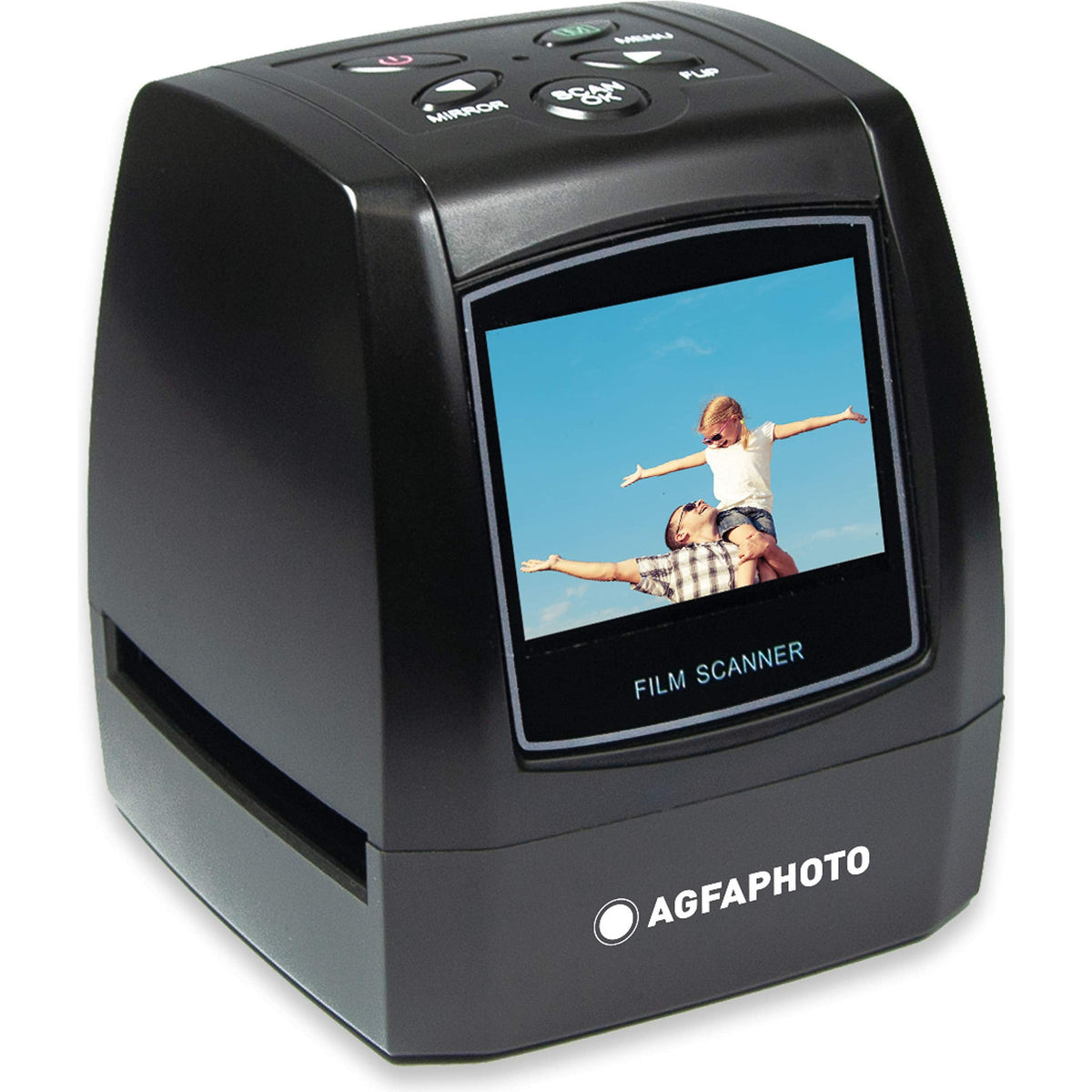
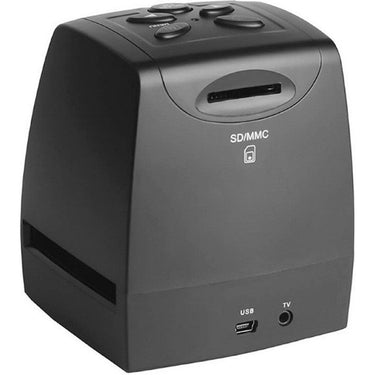



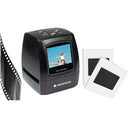



AGFAPHOTO Realiview AFS100 Digital Film and Slide Scanner
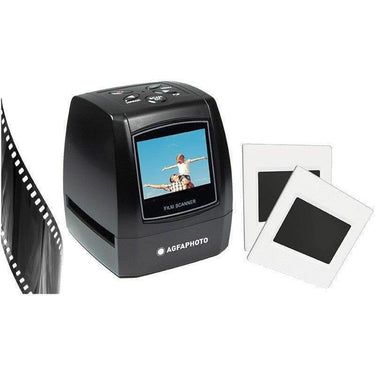
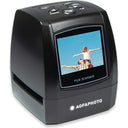
The AGFAPHOTO Realiview AFS100 is a compact digital film and slide scanner for digitising 135 format 35mm negatives and 35mm mounted slides into JPEG image files. Features include a 5MP CMOS sensor, up to 10MP interpolated output, 2.4 inch LCD screen, SD and SDHC card storage up to 32GB, USB 2.0 transfer, AV TV output, exposure adjustment, image rotation, flip controls, playback mode, negative holder and slide holder. Suitable for preserving old family photos, film archives, travel memories, colour negatives, black and white negatives and mounted slides.
Keywords: AGFAPHOTO AFS100, Realiview AFS100, 35mm film scanner, slide scanner, negative scanner, digital film scanner, photo digitiser, JPEG film scanner, SD card film scanner, 10MP film scanner, home film scanner, 135 film scanner, mounted slide scanner.
Bring Old Film Back to Life
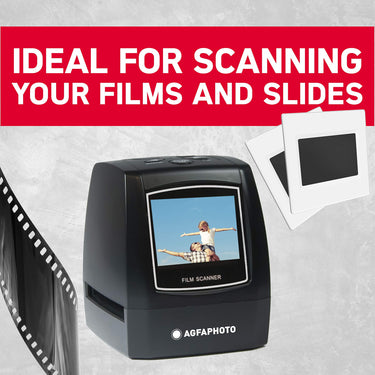
The AGFAPHOTO Realiview AFS100 turns 35mm negatives and mounted slides into digital JPEG files in just a few seconds — without needing a computer, complicated software, or a scanning studio.

Made for the Box of Film You Keep Meaning to Sort
Family negatives, travel slides, inherited photo archives, old film rolls — the AFS100 gives you a simple way to preserve memories before they fade, scratch, or get lost.
Digitise in Seconds
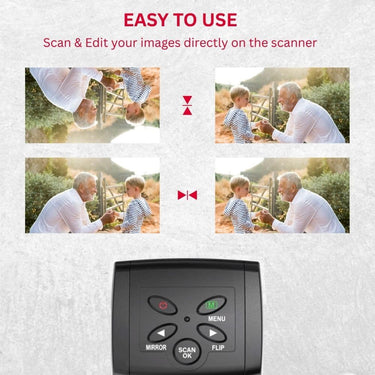
Load the film holder, preview the frame, press scan, and save straight to an SD card. No complex editing workflow required.
Preview Before Saving
The built-in colour screen lets you align, check and review images directly on the scanner before saving them.
Simple Digital Files
Scans are saved as JPEG images, making them easy to copy, share, archive, print, email or back up to cloud storage.
No Computer Needed to Scan
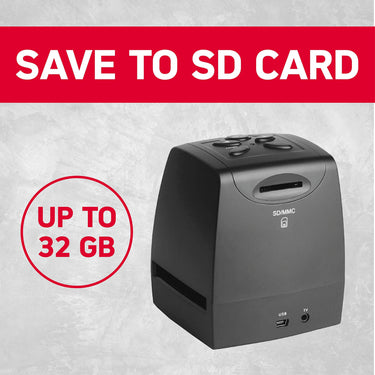
Save directly to an SD / SDHC card up to 32GB, then transfer files later by USB or card reader.
Preserve the Photos That Only Exist on Film
Old negatives and slides are easy to forget until they’re damaged, faded, misplaced, or impossible to identify. The AFS100 is designed for quick home archiving, helping you turn physical memories into digital files they can actually use.
- Ideal for family photo collections and inherited archives
- Great for rediscovering travel photos, childhood photos and old film rolls
- Creates convenient JPEG files for sharing and backup
- Simple enough for everyday home users

Choose What Matters Most
Rescue boxes of old memories
Perfect for turning inherited slides and family negatives into files that can be copied, shared with relatives, stored on a computer, or backed up online.
A quick way to preview and digitise 35mm frames
Useful for casual film shooters who want a fast, standalone way to create digital JPEG copies of 35mm negatives and slides without setting up a flatbed scanner.
Standalone scanning with SD card storage
Scan directly to SD / SDHC card, then transfer via USB 2.0 or card reader. This makes it practical for working through batches of film over time.
A thoughtful gift for memory keepers
A strong gift idea for parents, grandparents, photography lovers, family historians, scrapbookers and anyone with old film they have never digitised.
From Film to Digital in a Simple 6-Step Workflow
The selling point is simplicity: load, preview, scan, save and share.

Everything Needed to Start Scanning
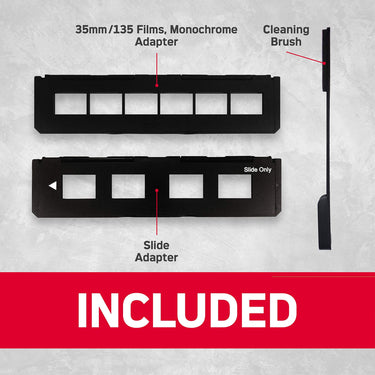
The AFS100 includes the scanner, film holders and essential cables so you can begin digitising 35mm negatives and mounted slides straight away. It is built around a straightforward, home-friendly workflow rather than a complicated professional setup.
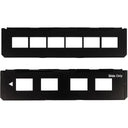
- Negative holder for 135 / 35mm film
- Positive slide holder for mounted 35mm slides
- USB cable for power / transfer
- AV cable for TV output
- Cleaning brush and user manual included
Designed Specifically for 35mm Film
This is the right tool for you with standard 35mm negatives or mounted 35mm slides. It supports colour negatives, black and white negatives, and positive slides.
Important: This scanner is not designed for 110, 126, APS, medium format, Super 8 film, loose paper photos, documents or non-35mm slide formats.

Product Details at a Glance
Use the image story to show you exactly what you are buying, how it works, and why it solves the old-film problem.


Why People Love It
- Turns forgotten film into usable JPEG files
- No specialist knowledge needed
- Standalone scanning with SD card storage
- Preview, rotate, flip and adjust exposure directly on the device
- Compact enough to keep at home and work through film gradually

Common Buyer Questions
Tap each section to expand
Can it scan without a computer?
What formats does it support?
Does it restore damaged photos automatically?
Is an SD card included?
AGFAPHOTO Realiview AFS100 Digital Film and Slide Scanner
What’s in the Box
| Included Item | Details |
|---|---|
| Film Scanner | 1 × AGFAPHOTO Realiview AFS100 digital film scanner |
| USB Cable | For power / computer connection and USB 2.0 file transfer |
| AV Cable | For TV output on compatible displays |
| Negative Film Holder | Holder for 135 format / 35mm film negatives |
| Positive Slide Holder | Holder for 35mm mounted slides |
| DC5V Adapter / Power Adapter | Power adapter supplied with manufacturer pack. Some packs list EU and UK power supply. |
| Cleaning Brush | For cleaning the scanner backlight panel / film path area |
| User Manual | Setup, safety, scanning, playback and transfer instructions |
Specifications
| General | |
|---|---|
| Brand | AGFAPHOTO |
| Model | Realiview AFS100 |
| Product Type | Digital film and slide scanner |
| EAN | 3760265541966 |
| Primary Use | Digitising 35mm negatives and 35mm mounted slides into JPEG image files |
| Film and Slide Compatibility | |
| Supported Negative Format | 135 format / 35mm film negatives |
| Supported Slide Format | 35mm mounted slides, 24 × 36mm frame size |
| Monochrome / Black and White Support | Yes |
| Colour Negative Support | Yes |
| Positive Slide Support | Yes |
| Film Type Modes | Black & White, Slides, Negative Film |
| Included Holders | Negative film holder and positive slide holder |
| Film Holder Design Note | Film holder follows ISO-style alignment. Some non-standard camera films may show a small black edge line that can be cropped in photo editing software. |
| Not Suitable For | 110 film, 126 film, APS film, medium format film, Super 8 film, loose paper photographs, documents, prints, or non-35mm slide formats |
| Sensor, Lens and Focus | |
| Image Sensor | 1/3.2-inch 5MP CMOS sensor |
| Lens | Fixed focus lens |
| Lens Aperture | F/6.0 |
| Focal Length | F = 6.34mm |
| Focus Range | 5.6cm |
| Resolution, Scan Quality and Image Output | |
| Native Image Resolution | 5MP, 2592 × 1944 pixels |
| Maximum / Interpolated Resolution | 10MP, 3888 × 2588 pixels |
| Selectable Resolution | 5MP / 10MP interpolation |
| Scan Quality | 1800 dpi / 3600 dpi |
| File Format | JPEG |
| Approximate Scanning Speed | Approximately 3 seconds per scan |
| Display, Preview and Viewing | |
| Display Type | Colour LCD / TFT display |
| Display Size | 2.4-inch LCD screen / 2.36-inch TFT display depending on specification reference |
| Live Preview | Yes, preview film or slides before saving |
| Playback Mode | Yes, saved images can be viewed from the memory card on the scanner screen |
| TV Output | Yes, via AV cable |
| TV Output Format | NTSC / PAL |
| Capture Features and Adjustments | |
| Capture Mode | Yes |
| Exposure Adjustment | Yes, EV exposure adjustment using left and right arrow controls |
| Image Rotation / Flip | Yes, image can be inverted or flipped before scanning |
| Mirror Image Adjustment | Yes, mirror / invert correction available before saving |
| Scan Confirmation | Press Scan to save the displayed image to the inserted memory card |
| Playback Features | |
| Photo Gallery Browsing | Use left and right keys to browse saved photos |
| Playback Rotation | +90° and -90° rotation options |
| Delete Function | Yes, saved images can be deleted from the memory card through playback mode |
| Save Changes | Yes, playback rotation changes can be saved |
| Return to Capture Mode | Yes, playback menu includes return-to-capture option |
| Menu and Language Settings | |
| Main Menu | Capture, Playback, Resolution, Storage / USB MSDC, Language and related settings |
| Default Start Mode | Automatically enters Capture Mode when powered on |
| Resolution Menu | Allows selection of scan resolution setting |
| Storage / USB MSDC Mode | Used to preview or copy pictures saved on the SD card to a computer through USB |
| Menu Languages | English, German, Italian, Spanish, Traditional Chinese, Simplified Chinese, Japanese and French |
| Storage and File Transfer | |
| External Memory | SD card / SDHC card |
| Maximum Card Capacity | Up to 32GB |
| Memory Card Included | No, SD / SDHC card not included |
| Computer Transfer | USB 2.0 high-speed / MSDC transfer |
| Direct Scan to Computer | The scanner is primarily designed to save scans to SD / SDHC card first. Images can then be copied to a computer via USB connection or by removing the card and using a card reader. |
| Connectivity and Power | |
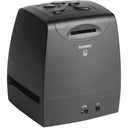
| USB Interface | USB 2.0 |
| USB Standard | USB 2.0 or above |
| Computer Interface Mode | MSDC USB transfer mode |
| TV Interface | AV / TV output |
| Power Input | DC 5V |
| Power Source | Connect to a computer by USB or use the supplied power adapter |
| USB Power Note | Avoid overloading computer USB ports with too many USB-powered devices, as insufficient power may affect operation. |
| Basic Operation Sequence | |
| Step 1 | Load slides or negatives into the corresponding holder |
| Step 2 | Insert the holder into the scanner slot on the right side of the unit |
| Step 3 | Connect the scanner to a power source, either PC USB or power adapter |
| Step 4 | Press the power button to turn on the scanner |
| Step 5 | Select film type / settings if required, then press Scan to save the image |
| Step 6 | Remove the storage card when finished, or connect by USB to view / copy images on a computer |
| Physical Specifications | |
| Dimensions | Approx. 86 × 86.2 × 102.4 mm / 3.3 × 3.3 × 4.7 inches |
| Alternative Listed Dimensions | Some specification references list 84 × 86 × 102 mm |
| Weight | Approx. 298g according to the user manual; some product data lists approx. 230g |
| Body Style | Compact tabletop scanner with side-loading film holder slot and built-in screen |
| Care, Cleaning and Handling | |
| Film Handling | Handle slides and negatives carefully. Dust, scratches and fingerprints can appear on saved images. |
| Cleaning Method | Use a clean, dry, non-alcohol cotton swab for the glass surface and the supplied brush for the backlight panel / scanner film path. |
| Cleaning Brush Use | Place the scanner on its side and insert the end of the brush into the door on the right side to clean the backlight panel. |
| Storage / Inactivity Advice | Unplug the USB cord from the computer or power adapter when the scanner will not be used for an extended period. |
| Safety and Use Notes | |
| Moisture Warning | Do not expose the scanner to rain or moisture. |
| Disassembly Warning | Do not disassemble the unit or remove the cover. |
| Ventilation | Do not place the scanner on soft surfaces such as beds, sofas or rugs that may block ventilation openings. |
| Heat | Keep away from high heat sources such as radiators or stoves. |
| Manufacturer and Compliance Notes | |
| Manufactured / Distributed By | GT COMPANY, France |
| Brand Licensing Note | AGFAPHOTO is used under licence of Agfa-Gevaert NV. A sub-licence has been granted by AgfaPhoto Holding GmbH. Neither Agfa-Gevaert NV nor AgfaPhoto Holding GmbH manufacture this product or provide product warranty/support. |
| CE Compliance | Products bearing the CE mark comply with applicable European directives and associated harmonised European standards. |
| Country of Manufacture | Made in China |


