






SkyWatcher SynScan WiFi Adapter
 Authorised Dealer
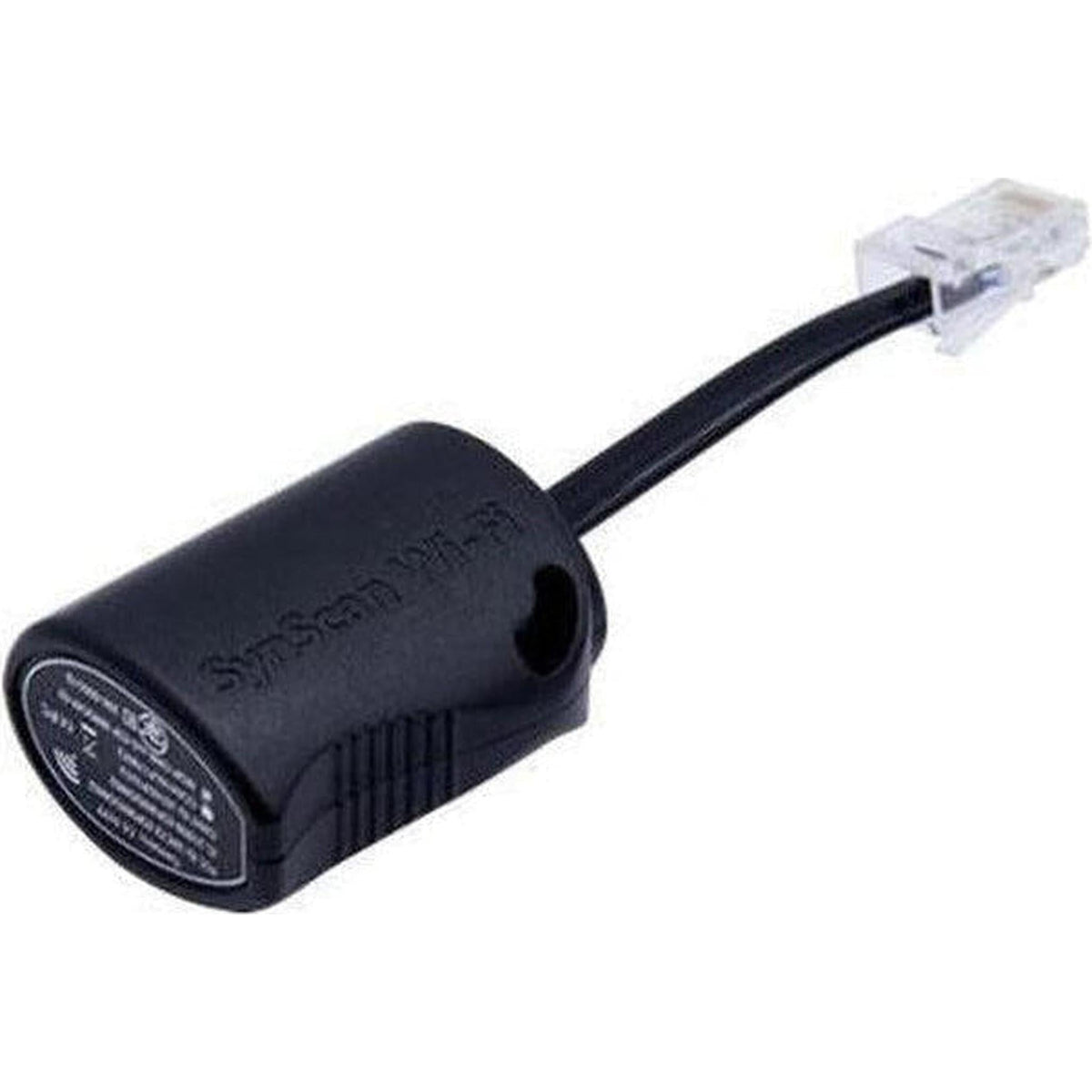
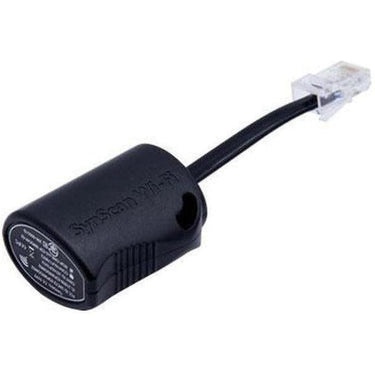




Introducing the SkyWatcher WiFi Adapter
Give your Sky-Watcher GOTO mount WiFi capability with the brand new SkyWatcher Wifi Adapter.
Connect the mount to the SynScan App using the adapter. Download the app from Google Play or Apple App Store.
The SynScan Point and Go feature simplifies the GOTO process. Simply point your phone to the part of the sky you want your telescope to point, press the button,and the telescope will automatically move to the location you pointed to. It will then list all the objects in the neighbourhood.
Works with all the SynScan GOTO capable mounts:
- Star Discovery
- Star Explorer
- Collapsible GOTO Dobsonian
- StarGate GOTO Dobsonian
- Equatorial Pro
- AZGT Pro
- EQ8 Pro
- EQ3 Pro
- EQ5 Pro
- GT Series AZ-EQ5 GOTO
- HEQ5 Pro GOTO
- SkyWatcher AZ-EQ6 GT
- SkyWatcher EQ6-R Pro Belt Drive GoTo Mount
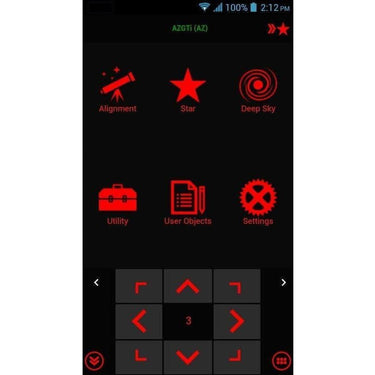
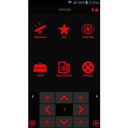
The new SynScan app emulates the SysnScan controller on your smartphone or tablet allowing you to control your telescope without being tethered with a hardwired handcontroller.
When plugged in the SkyWatcher WiFi Adapter will create a wifi network called “SynScanWiFi_xxxxxx” – you can join this wifi connection from the settings tab of your preferred device.
Once connected you can open the SynScan app and tap the “Connect” button.
The 8-way direction buttons at the bottom of the app screen allow you to slew the telescope – the number displayed in the centre box indicates the slew speed (just like the SynScan hand controller).
Tap the alignment icon and choose your preferred alignment method.
Once aligned, you can choose your target through the Star or Deep Sky menus.
- Reviews
- Questions
Skywatcher synscan WiFi adapter
Found this adapter very useful for a person like me that is relatively new to operating a goto telescope. Phone app and adapter made the process of doing a useful alignment much easier than the hand contoller. Lots of useful information displayed on the phone for making good alignment star choices. Easy to install on my Samsung phone - only one slight glitch - once installed, found I needed to be in the settings screen in the app to make connection from phone or the app stops working. However, if you connect in the settings screen then it connects no problems. Might just be me or my phone, or maybe at app updates will correct this. Apparently can be connected via other star apps as well as the Skywatcher app. Very simple and effective and useful device.
Skywatcher wifi adapter
I have found this a very useful tool for a relative new comer to astronomy and more particularly for me being very new to using a GOTO telescope. The skywatcher app has lots of useful information displayed for making better alignment star choices. I found it easier than using the standard SynScan hand controller. Also I am told it can be used with other programs if you don’t want to use the skywatcher app.
WIFI SynScan Dongle on AZ-EQ5GT mount
Completely successful use of the dongle. Unplugged the SynScan hand controller and plugged in the RJ-45 cabled WIFI dongle. Then I set my cell phone WIFI settings to Mobile data off, then powered on the mount and waited for the dongle to transmit the SynScan SSID. I executed the SynScan Pro app on my cell phone and pressed the "Connect" button. SynScan Pro asked if the mount was ALT/AZ or EQ. I selected EQ and continued on. ll of this procedure is precisely as detailed in the YouTube videos SynScan connection via cell phone and the SynScan Pro app. Very nice product, Now if only I could somehow use Stellarium Planitarium Software to connect up too. !!!
 New Zealand
SkyWatcher WiFi Adapter - so far, so good.
So far, so good. Using the adaptor on my 14” GoTo Dob has been great so far - much easier in some ways to the hand controller. I haven’t experienced some of the problems noted on various forums (so far) but have yet to really test the unit. Having a couple of key bright stars about 90degrees apart allows the two star alignment to take place very quickly and reasonably accurately - important to fine tune the alignment with the directional arrows. Jacobs processed the order very quickly - good service.
New ZealandSkyWatcher WiFi Adapter on EQ6-R Pro
Using this on my Skywatcher EQ6-R Pro mount and it was easy to connect and configure. Works well with the ZWO ASIAIR Pro was able to connect first time with no issues.


