| Minelab MANTICORE — Specifications |
|---|
| Key Technology |
Multi-IQ+ (High Power Simultaneous Multi-Frequency) |
| Search Modes (Customisable) | -
All Metal: 1
-
All-Terrain (5): General, Trash Reject, Low Conductors, High Conductors, Fast
-
Beach (4): General, Low Conductors, Deep, Surf & Seawater
-
Goldfield (1): General
|
| Custom User Search Profile |
Yes |
| Pinpoint |
Yes |
| Operating Frequencies | Multi-IQ+, 5 kHz, 10 kHz, 15 kHz, 20 kHz, 40 kHz |
| Noise Cancel |
Auto, Continuous Auto, Manual |
| Ground Balance |
Auto, Manual, Tracking |
| Sensitivity |
1 to 35 |
| Recovery Speed |
0 to 8 |
| Target ID & Discrimination |
|---|
| Target Identification |
2D IDs: 0–99 conductive scale with ferrous indication |
| Discrimination Segments |
2D IDs: 100 Conductive, 50 Ferrous segments |
| 2D ID Map |
Two-Dimensional ID Map System with Target Trace |
| Depth Indicator |
5 levels |
| Ferrous Limits |
Upper: 0 to 14 | Lower: 0 to 9 |
| Ferrous Limits Custom |
1 to 4 |
| Wireless, Bluetooth & Audio |
|---|
| Bluetooth (consumer pairing) |
NO — the detector is not intended to pair with regular Bluetooth headphones/earbuds like a phone does. |
| Wireless Audio (detector system) |
YES — Low Latency Wireless Audio for compatible Minelab wireless headphones. |
| Can other Bluetooth headphones be used? | -
Direct wireless pairing: No (standard Bluetooth headphones are not supported for direct connection).
-
Workarounds:
-
Wired: Use the detector’s 3.5mm (1/8") headphone jack (best for zero-lag). Bose must support a cable.
-
External Bluetooth transmitter: Plug a BT transmitter into the 3.5mm jack and pair your Bluetooth headphones to the transmitter (adds latency; not Minelab-supported; transmitter must be kept dry).
Practical note: even if a transmitter works, most music headphones add noticeable lag compared with Minelab low-latency audio. |
| Audio Output Options |
Built-in loudspeaker | Wired 3.5mm (1/8") headphones | Low latency wireless audio |
| Included Headphones |
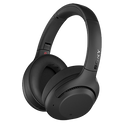
ML 105 wireless low latency headphones (not waterproof) + audio cable + hard case |
| Target Tones |
1, 2, 5 Tones; 1, 2, 5 Regions; All Tones |
| Audio Themes |
Normal, Enhanced, Depth, Prospecting |
| Volume Profiles |
Simple, Medium, Rich |
| Target Volume |
0 to 25 |
| Target Pitch |
1 to 50 |
| Ferrous Volume |
0 to 25 |
| Ferrous Pitch |
1 to 50 |
| Threshold Level |
0 to 25 |
| Threshold Pitch |
1 to 50 |
| Display, Lighting & Haptics |
|---|
| Display |
Full colour LCD |
| Display Backlight |
White (1 to 10) + Auto Brightness |
| Keypad Backlight |
White (High, Med, Low, Off, Auto) |
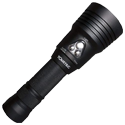
| Flashlight |
Low, Med, High, Off |
| Vibration |
Proportional, Off |
| Shortcuts |
Soft Keys: 2 (Action Bar), 1 (User Button) |
| Build, Waterproofing & Power |
|---|
| Waterproof Rating |
IP68 — waterproof to 5 m (16 ft) |
| Shaft System |
3-piece highly collapsible carbon-fiber |
| Length |
Extended: 144 cm (56.7 in) | Collapsed: 63 cm (24.8 in) |
| Weight |
1.3 kg (2.9 lb) |
| Standard Coil (Included) |
M11 11" Double-D round coil + skidplate (waterproof to 5 m / 16 ft) |
| Battery Type |
Internal rechargeable Lithium-ion |
| Supplied Battery Spec |
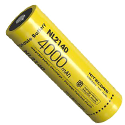
3.7 V / 6800 mAh (internal) |
| Battery Runtime |
Approx. 10 hours (usage dependent) |
| Charge Time |
Approx. 7 hours |
| Charging Connection |
Magnetic USB charging connector |
| Operating Temperature |
-10°C to +40°C (+14°F to +104°F) |
| Storage Temperature |
-20°C to +70°C (-4°F to +158°F) |
| Software & Updates |
|---|
| Software Upgradable |
Yes, via USB connection (Windows or Mac OS compatible) |
| Update Method | Minelab Update Utility (MUU) on a computer. There are separate MUU installers for the MANTICORE detector and for the ML 105 headphones. |
| Computer Requirements (Minimum) | -
Device type: Laptop/Desktop only (smartphones & tablets are not compatible)
-
USB: USB 2.0 port
-
Windows: Windows 10 + ~50 MB free space
-
Mac: macOS 10.15 or later + ~85 MB free space
|
| Update Connection (Detector) | Use the detector’s magnetic USB charging cable to connect to the computer, then power the detector ON.
Coil must be connected to perform the detector update. |
| Internet Requirement | Internet is required to download the MUU to the computer, but an internet connection is not required to perform the actual detector/headphone update (can be done offline). |
| Settings Preservation | User settings are intended to be preserved during update; however, interruption at certain times carries a small risk of settings loss. |
| Update Duration | Typical install time is around 10 minutes (device will reboot during the process). |
| Failure / Recovery Behaviour | If an update is interrupted, the MUU is designed to be recoverable by restarting the device and MUU. The detector may boot with a blank screen + fast flashing green LED, indicating update mode ready to accept an update. |
| Downgrading Firmware | The MUU contains released versions of MANTICORE software; to downgrade you select a previous version inside the MUU (menu) and install. |
| ML 105 Headphones Firmware Update (If Available) | Connect ML 105 headphones to the computer using the supplied USB-C charging cable. Headphones power on during update and indicate status via LED. |
| What’s in the Box |
|---|
| Included (Standard Pack) | - MANTICORE detector (control pod + carbon-fiber shaft)
- M11 11" Double-D round coil + skidplate
- ML 105 wireless low latency headphones + audio cable + hard case
- Magnetic USB charging cable
- 5 × screen protectors
- Getting Started / Quick Start guide
|
| Optional Minelab Accessories (SOLD SEPARATELY) |
|---|
| Accessory Coils | - M8 (8 × 5.5" elliptical Double-D) + skidplate
- M9 (9" round Double-D) + skidplate
- M15 (15 × 12" elliptical Double-D) + skidplate
|
| Audio / Cables | - ML 105 (spare/replacement) / ML 85 wireless low latency headphones (where stocked)
- 3.5mm waterproof headphones (wired)
- Waterproof phone adaptor cable 3.5mm (EQX accessory cable)
- Spare magnetic USB charge cable
|
| Harness / Carry | |
| Warranty |
|---|
| Warranty | Three Years |



























 More on the way