


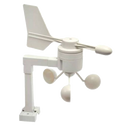





Wind intelligence
Current and top speeds, current and prevailing direction, colour speed graph, records and a high-wind alert.

09 480 5903
www.jacobsdigital.co.nz
9 Mokoia Road
Birkenhead, Auckland 0626
OPEN: 9am to 5pm
Monday to Saturday
Ships in 1-2 days
An order for this can be placed with our supplier, and usually ships within the specified timeframe.
Pay it in four interest-free payments
No new cards, you can use your existing bank card
No long forms, online approval
Pay every 2 weeks, enjoy your purchase right away
All you need to apply is to have a debit or credit card, to be over 18 years of age, and to be a resident of New Zealand or Australia
Late fees and additional eligibility criteria apply. The first payment may be due at the time of purchase. For complete terms visit https://www.afterpay.com/terms

Contact me when stock is available
ERROR
Estimated time of arrival:
2000
33800
Shipping calculated at checkout
When will I receive it?
We don't have this item in our store right now, please allow for it to be transferred to our retail store.
If you come to pick up your order please bring photo ID, if someone else is picking it up on your behalf please contact us prior to pickup.
Once your order has been picked up by the courier please allow 2 working days for North Island addresses, for the South Island allow 3 working days. Rural deliveries and extra-large items may take several additional days.
Shipping costs are automatically calculated during checkout. The price of shipping varies based on the delivery location. Select items may be be eligible for free shipping.
Oversize items such as very large telescopes may only be available via pickup from a depot or delivered to a business address. For more infomation click here. Due to less frequent collection of oversize items delivery may take 2 to 4 additional days.
To ensure the safe delivery of your order we require a signature with all parcels. Some exceptions may be made if you give the courier company authority to leave parcels at your preferred address.
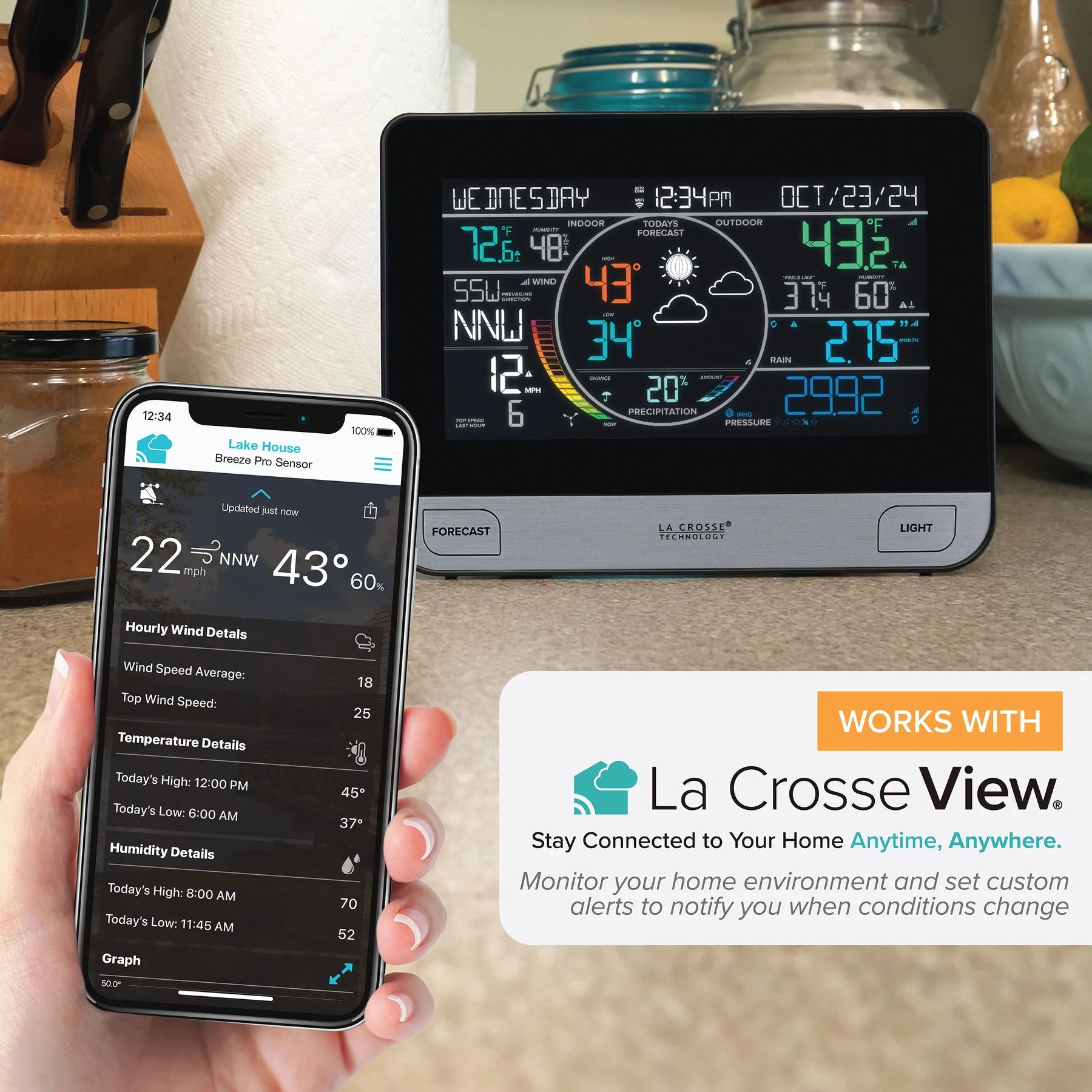
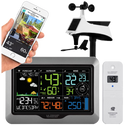
The V61 combines a vivid colour weather display, a wireless Breeze Pro wind, temperature and humidity sensor, and a separate self-emptying rain gauge. Use it as a complete standalone station or connect it to Wi-Fi for AccuWeather forecasts, remote monitoring, history graphs and alerts through the La Crosse View app.
The V61 brings wind, rainfall, temperature, humidity, barometric forecasting and expandable sensor monitoring together on one colour display, with optional Wi-Fi for remote access and enhanced forecast data.
Current and top speeds, current and prevailing direction, colour speed graph, records and a high-wind alert.
One-hour, rolling 24-hour, seven-day, monthly, annual and total rainfall with days-since-last-rain tracking.
Indoor and outdoor readings, high/low history, dew point, alerts and a calculated Feels Like value.
Standalone pressure-based forecast scenes, pressure tendency arrows and expanded AccuWeather data when connected.
View readings remotely, share devices, create push alerts and explore history graphs from a compatible phone.
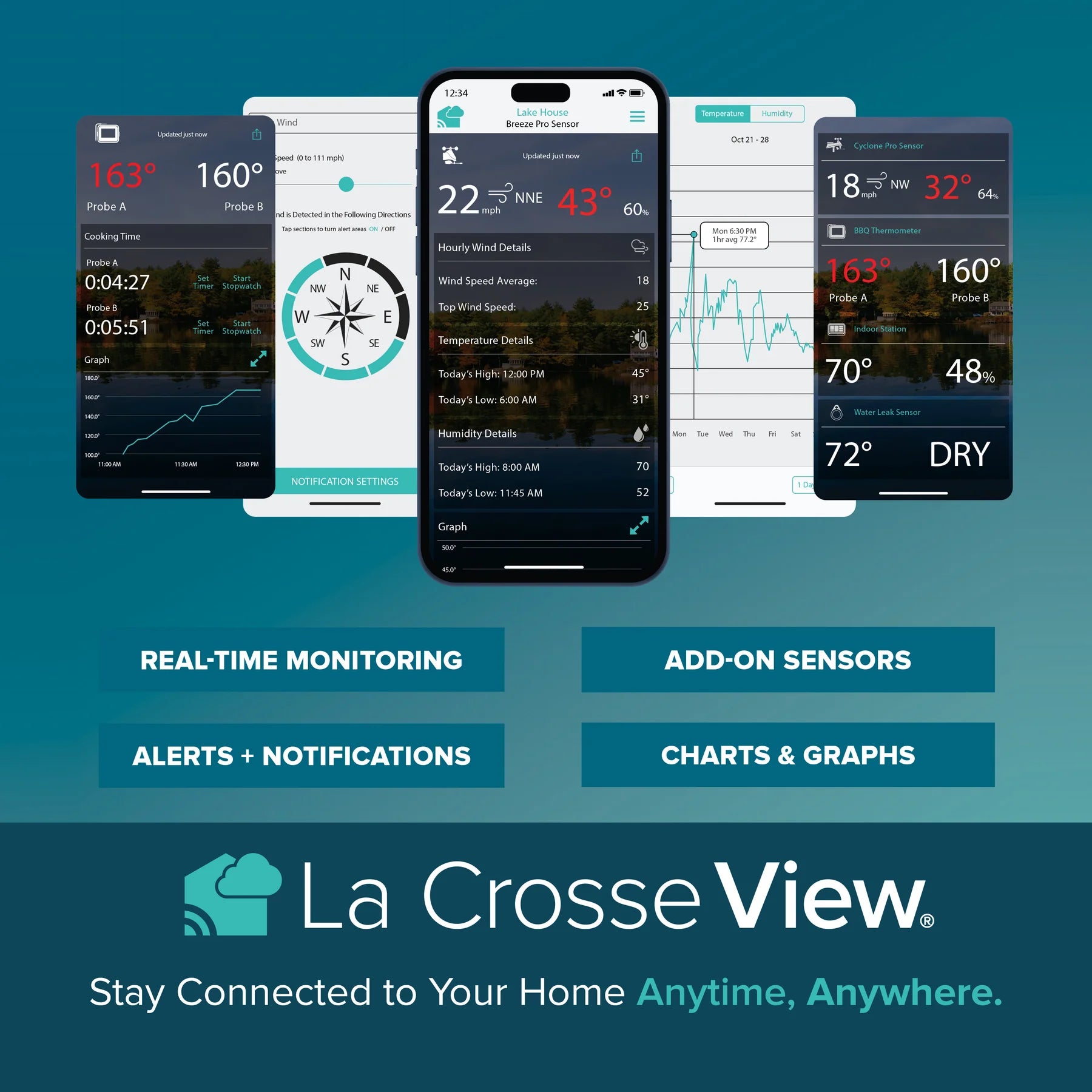
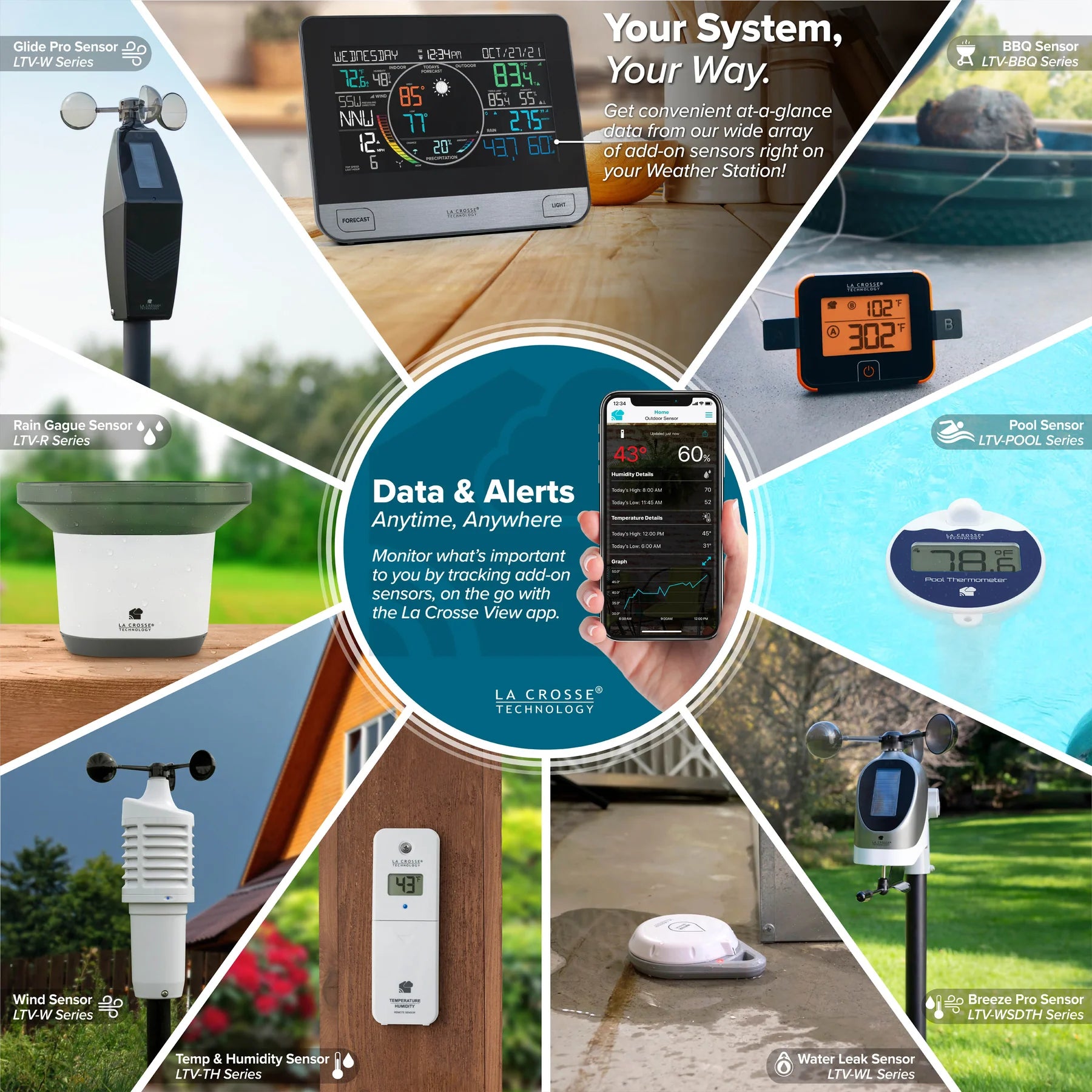
Add compatible temperature, probe, pool, leak, wind, rain or BBQ sensors to monitor more locations.
Wi-Fi is optional for local weather monitoring, but connecting unlocks remote access and enriches the information shown on the V61 display.


Bring compatible La Crosse weather and home-monitoring devices together so conditions can be checked from one connected system.
Connect the station to Wi-Fi to view current conditions remotely from a compatible phone wherever you have Internet access.
Use the app to follow trends, review graphs, receive custom notifications and expand monitoring with supported add-on sensors.
View the display and sensor readings from a compatible iOS or Android device with Internet access.
Create app notifications for the conditions that matter to you; app alerts are separate from alerts set on the display.
Review trends and past readings with detailed device history, graphs and supported data export options.
Share weather information with family and friends without moving the physical display.
Track an unlimited number of supported La Crosse View devices and organise them by name and location.
Receive Internet time, forecast highs and lows, precipitation chance and expanded forecast scenes on the station.
| App sensor refresh | Sensor information shown in the La Crosse View app generally refreshes approximately every 60 to 90 seconds. |
|---|---|
| Forecast and Internet time checks | The station checks the La Crosse View weather service at least four times per day for connected forecast and time information. |
| Temporary app connection loss | The most recent Internet-supplied readings can remain on the station for up to approximately 3 hours while the connection is being restored. |
| Wi-Fi connection status | Press SET to check the station's connection state, including connected, app setup required, weather service unavailable or lost Wi-Fi conditions. |
| Standalone operation | Local sensor measurements and the pressure-based forecast continue to operate without Wi-Fi, provided the display remains connected to its 5 V power adapter. |
Connected data streams can place selected AccuWeather information or a short custom message on the station. Available weather items include wind speed, direction and gust, UV index, cloud percentage, sunrise and sunset, snow accumulation, moonrise and moonset, storm probabilities, air quality and other supported data.
Custom text messages can contain up to 20 characters and may take up to approximately 10 minutes to appear after selection in the app.
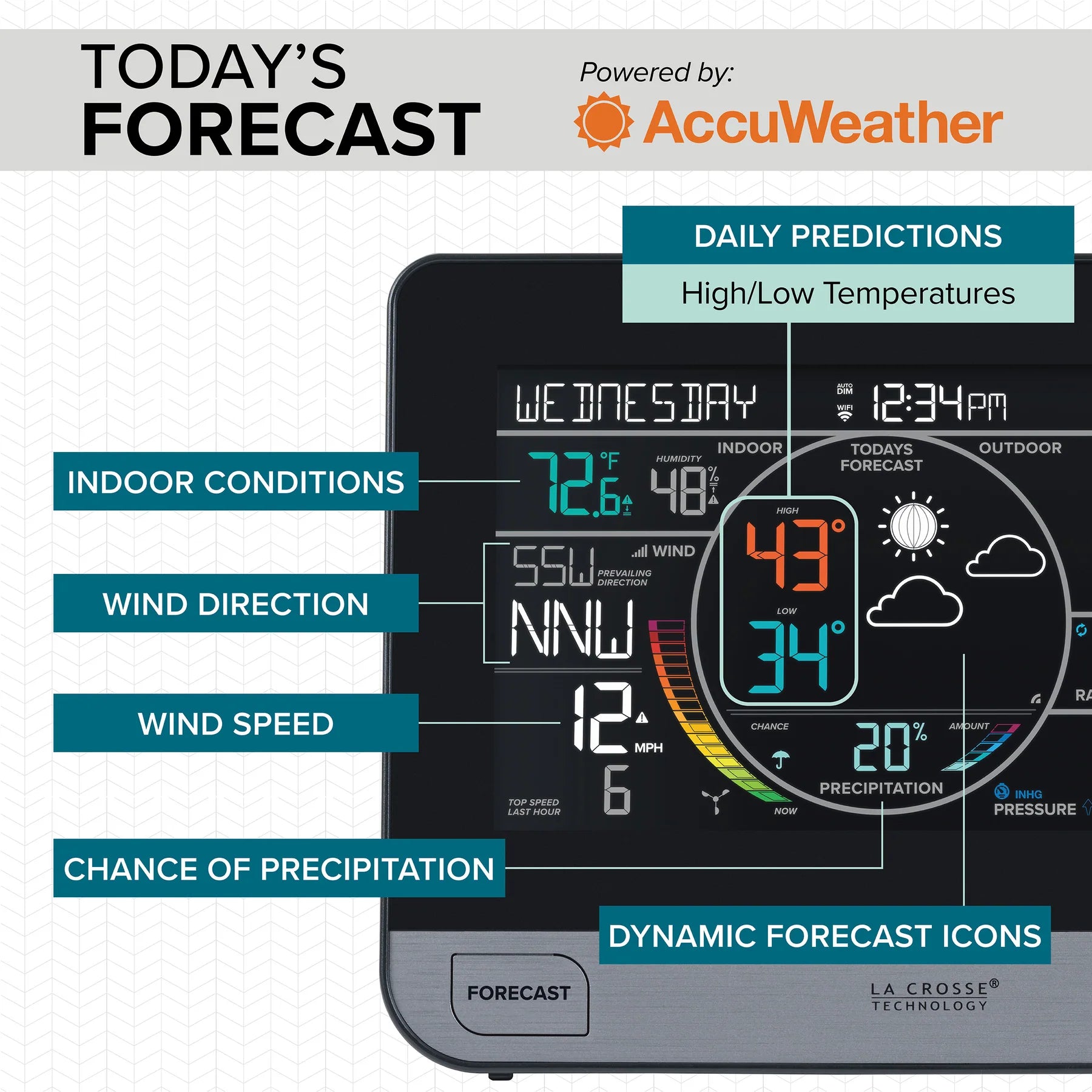
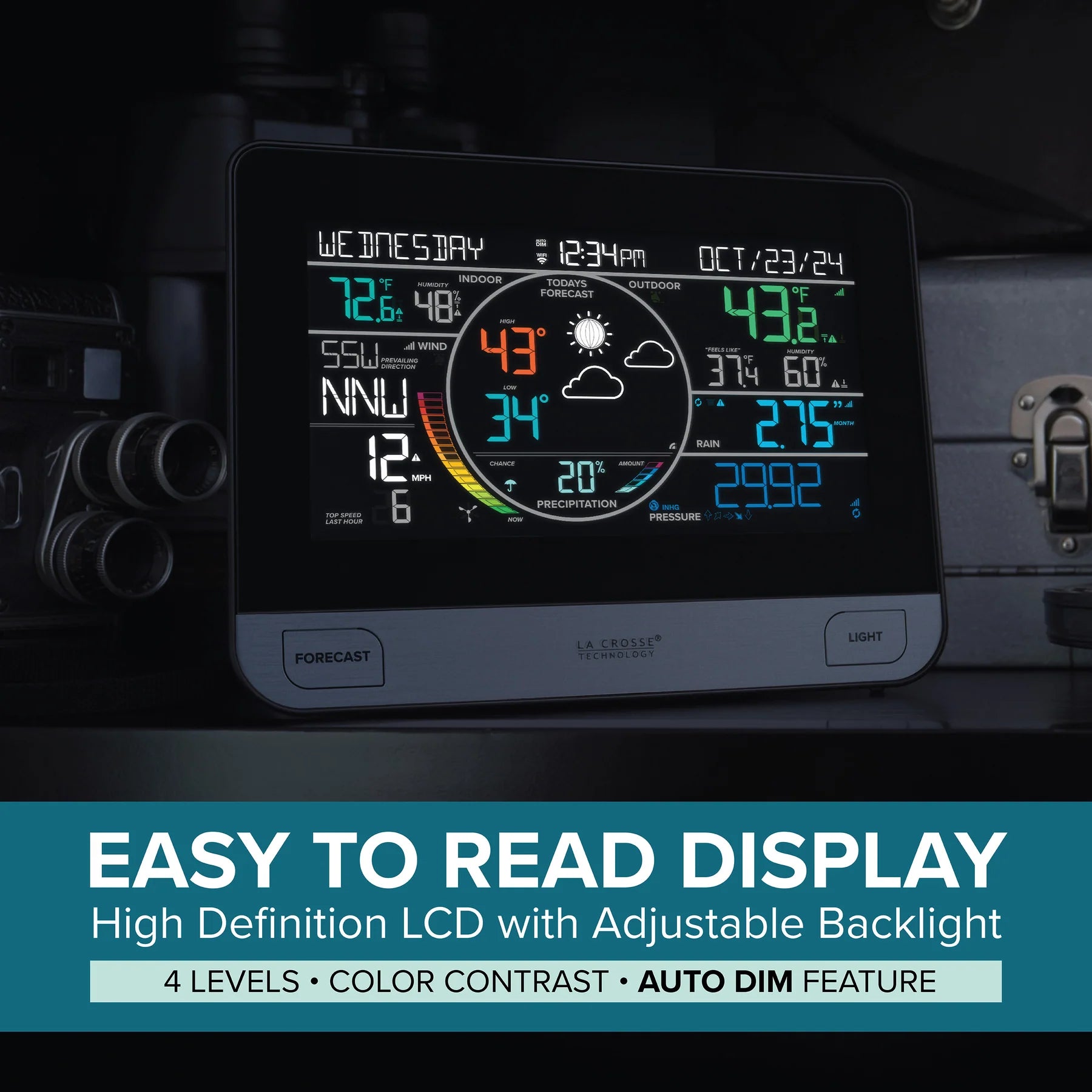
The high-definition display keeps the major measurements visible together, including time and calendar, indoor conditions, outdoor conditions, wind, forecast, precipitation and pressure or add-on sensor data.


When connected, the display combines local sensor readings with expanded AccuWeather forecast information in clearly separated colour zones.
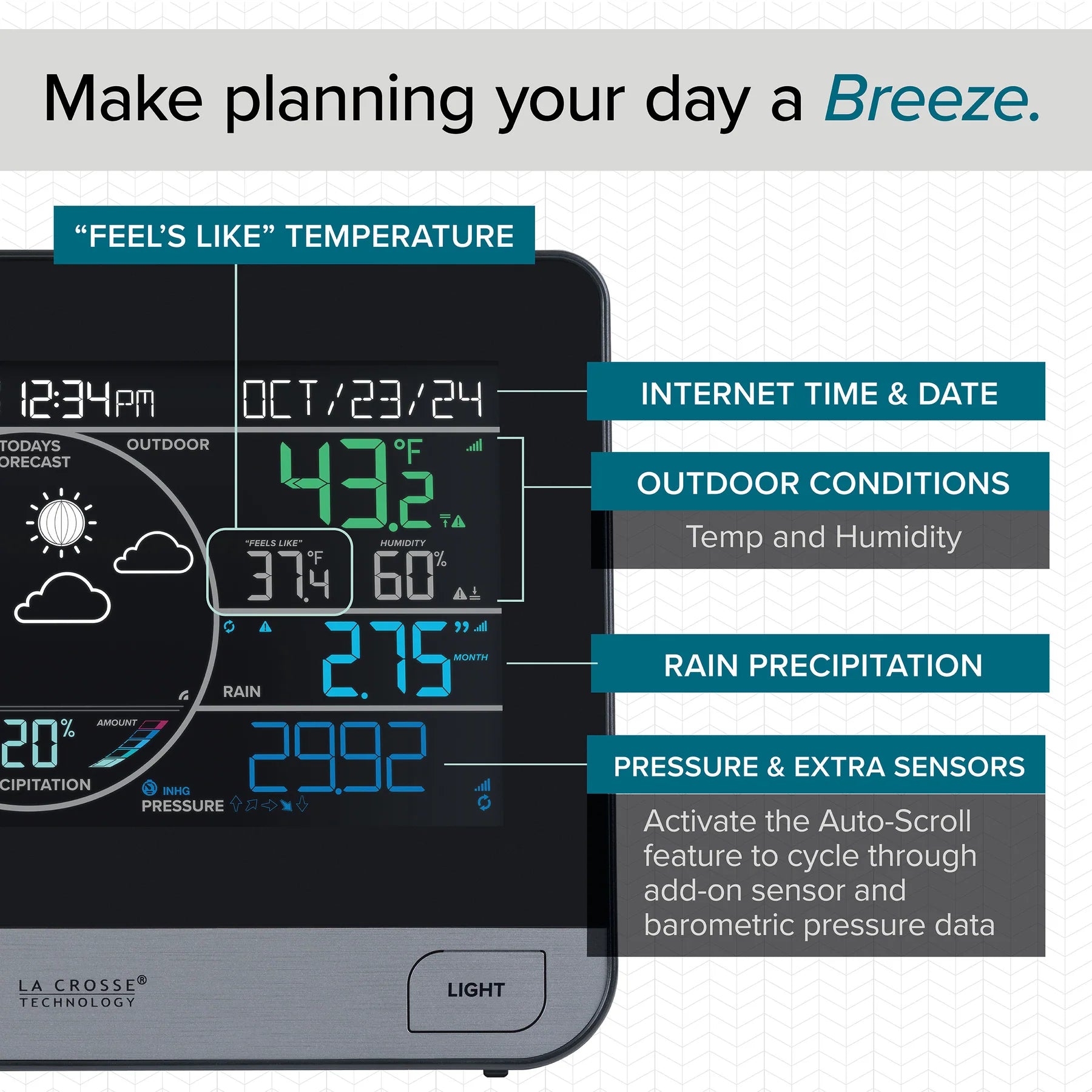
Keep time, outdoor conditions, Feels Like temperature, rainfall, pressure and compatible extra-sensor information visible from the main display.
The numbered manufacturer diagram identifies the temperature, humidity and sensor-status information shown across the main V61 display.
Current indoor temperature with the corresponding high and low alert icons.
Current indoor relative humidity with the corresponding high and low alert icons.
Indicates that outdoor temperature and humidity readings are being provided by the Breeze Pro sensor.
Current outdoor temperature with the corresponding high and low alert icons.
Indicates whether the station is receiving data from the outdoor sensor.
Forecast high and low temperatures supplied by AccuWeather when the station is connected to Wi-Fi; otherwise outdoor daily history records are shown.
Calculated from current temperature and wind conditions, showing wind chill or heat index when the required conditions are met.
Indicates that separate temperature and humidity readings are being supplied by a compatible add-on thermo-hygro sensor sold separately.
Current outdoor relative humidity with the corresponding high and low alert icons.
Connected daily forecast highs and lows require Wi-Fi. A compatible add-on thermo-hygro sensor is sold separately and is required for the separate TH sensor indication.
Flexible extra-sensor area: with no add-on sensor selected, the dark-blue lower display area shows relative barometric pressure. With compatible add-ons, it can cycle through pressure and up to four extra sensors.
The console measures the room directly while the Breeze Pro supplies outdoor temperature and humidity. Separate high and low records help show how conditions changed through the day.
| Indoor measurements | Temperature and relative humidity from the display's internal sensors |
|---|---|
| Outdoor measurements | Temperature and relative humidity transmitted by the Breeze Pro sensor; a compatible separate thermo-hygro sensor can be assigned instead |
| HI/LO history | Outdoor and indoor temperature and humidity highs and lows with time and date stamps |
| Feels Like | Uses heat index in warm conditions and wind chill in cold, windy conditions; otherwise follows the outdoor temperature |
| Dew point | Available through the temperature history screens; the dew-point value does not carry a time/date stamp |
| Display precision | Select whole-degree or decimal temperature presentation in the settings menu |
| Alerts | Separate indoor and outdoor high/low temperature and high/low humidity alert settings |
The Breeze Pro samples wind during each reporting cycle and sends the highest speed for that interval. The display combines this with direction, one-hour top speed, a dynamic colour scale and longer-term records.
Prevailing wind direction over the past hour.
Indicates whether the station is receiving data from the sensor.
Choose current wind direction as cardinal points or degrees in the Settings Menu.
Visual representation of wind speed reported by the sensor.
The top wind speed measured during the past 31 seconds.
Appears when a wind speed alert is set and active.
The top wind speed recorded during the past 60 minutes.
The on-screen wind cups spin faster at speeds above 5 mph.
Wind-direction source icons identify data from the included Breeze Pro sensor, Internet/AccuWeather when connected, or a compatible add-on wind sensor sold separately.
The colour arc fills progressively as measured wind speed increases, providing an immediate visual indication alongside the numeric speed.
The separate tipping-rocker rain gauge empties itself as it measures. The display offers rolling totals, calendar totals, automatic scrolling and a days-since-last-rain counter.
| 1 hour | Rain accumulated during the immediately preceding hour |
|---|---|
| 24 hours | Running total for the preceding 24 hours, updated at the top of each hour |
| 7 days | Accumulation from the last seven consecutive 24-hour records |
| 1 month | Current calendar-month total, with access to the previous 11 monthly totals |
| 1 year | Current month plus the preceding 11 monthly totals |
| Total | Accumulation since the station was powered on or the total was last reset |
| Auto-scroll | Cycles through rainfall readings at approximately five-second intervals |
| 24-hour alert | Configurable display alert for a selected 24-hour rainfall amount |
| Rain check interval | The rain sensor checks for a change in rainfall approximately every 45 seconds. |
|---|---|
| Change-triggered transmission | A rainfall change of approximately 0.2 mm causes the sensor to send a new reading. |
| No-rain transmission | When no rainfall change is detected, the sensor transmits approximately every 3 minutes to help conserve battery power. |
| Self-emptying operation | The internal tipping rocker measures liquid rainfall while drainage openings allow collected water to leave the sensor automatically. |
| Snow | Snowfall is not measured directly. Meltwater that later enters the gauge may be recorded as rainfall. |
Days since last rain: after 24 hours without measurable rain, the station begins counting dry days. When new rain is detected, the rainfall area automatically returns to the last rainfall view used.
Without Wi-Fi, the V61 develops a personalised forecast from local barometric pressure changes. With Wi-Fi, the display receives expanded AccuWeather icons, forecast temperatures and precipitation information.
| Function | Standalone station | Wi-Fi connected station |
|---|---|---|
| Forecast source | Internal barometer and local pressure trend | AccuWeather Internet forecast |
| Forecast horizon | Pressure-based prediction for approximately the next 12 hours | 12 hourly screens and 7 daily screens, including today plus future days |
| Forecast icons | Six scenes: sunny, partly sunny, clouds, rain, thunderstorm and snow | Expanded conditions: sunny, partly sunny, clouds, light rain, rain, thunderstorm, light snow, snow, wintry mix, windy, ice and fog |
| Forecast high/low | Outdoor sensor history values | Forecast high and low temperatures from the weather service |
| Precipitation area | Local 24-hour rainfall from the included rain gauge | Forecast chance and amount of rain or snow over the next 12 hours |
| Time and date | Set manually | Updated from the Internet |
| Amount 1 | Rain up to 0.1 in / 2.54 mm; snow up to 1 in / 25.4 mm |
|---|---|
| Amount 2 | Rain up to 0.2 in / 5.08 mm; snow up to 2 in / 50.8 mm |
| Amount 3 | Rain up to 0.3 in / 7.62 mm; snow up to 3 in / 76.2 mm |
| Amount 4 | Rain up to 0.4 in / 10.16 mm; snow up to 4 in / 101.6 mm |
| Amount 5 | Rain above 0.41 in / 10.17 mm; snow above 4.1 in / 101.7 mm |
Standalone forecast learning period: La Crosse advises allowing approximately 7-10 days in one location for barometer calibration. The station progressively compares current pressure with its longer-term memory; the manufacturer's stated standalone forecast accuracy is approximately 70-75% under suitable conditions.
The filled arrow identifies the active three-hour pressure trend while the other arrows remain outlined.
| Rapid pressure increase | Pressure has risen by more than approximately 2 hPa during the previous 3 hours. |
|---|---|
| Slow pressure increase | Pressure has risen by approximately 1 to 2 hPa during the previous 3 hours. |
| Steady pressure | Pressure has remained within approximately -1 hPa to +1 hPa during the previous 3 hours. |
| Slow pressure decrease | Pressure has fallen by approximately 1 to 2 hPa during the previous 3 hours. |
| Rapid pressure decrease | Pressure has fallen by more than approximately 2 hPa during the previous 3 hours. |
The moon phase appears in the forecast area from 7:00 pm to 6:59 am, using the station's date setting.
The display includes ten configurable environmental alerts. When an armed threshold is reached, the value and alert icon flash and the console sounds five beeps each minute until conditions return outside the alert range or the sound is acknowledged.
| Wind and rain | High wind speed; 24-hour rainfall |
|---|---|
| Outdoor temperature | High temperature; low temperature |
| Outdoor humidity | High humidity; low humidity |
| Indoor temperature | High temperature; low temperature |
| Indoor humidity | High humidity; low humidity |
| La Crosse View app | Separate custom push-alert settings are available when the station and sensors are connected |
The extra-sensor area can show up to four compatible add-ons in addition to pressure. Further supported sensors can pass data through the station to the La Crosse View app. All compatible add-on sensors are optional accessories sold separately and are not included with the V61.


Add compatible sensors for extra temperature and humidity locations, rainfall, wind, pool conditions, BBQ monitoring, water leaks and probe measurements. All add-on sensors shown are optional and sold separately.
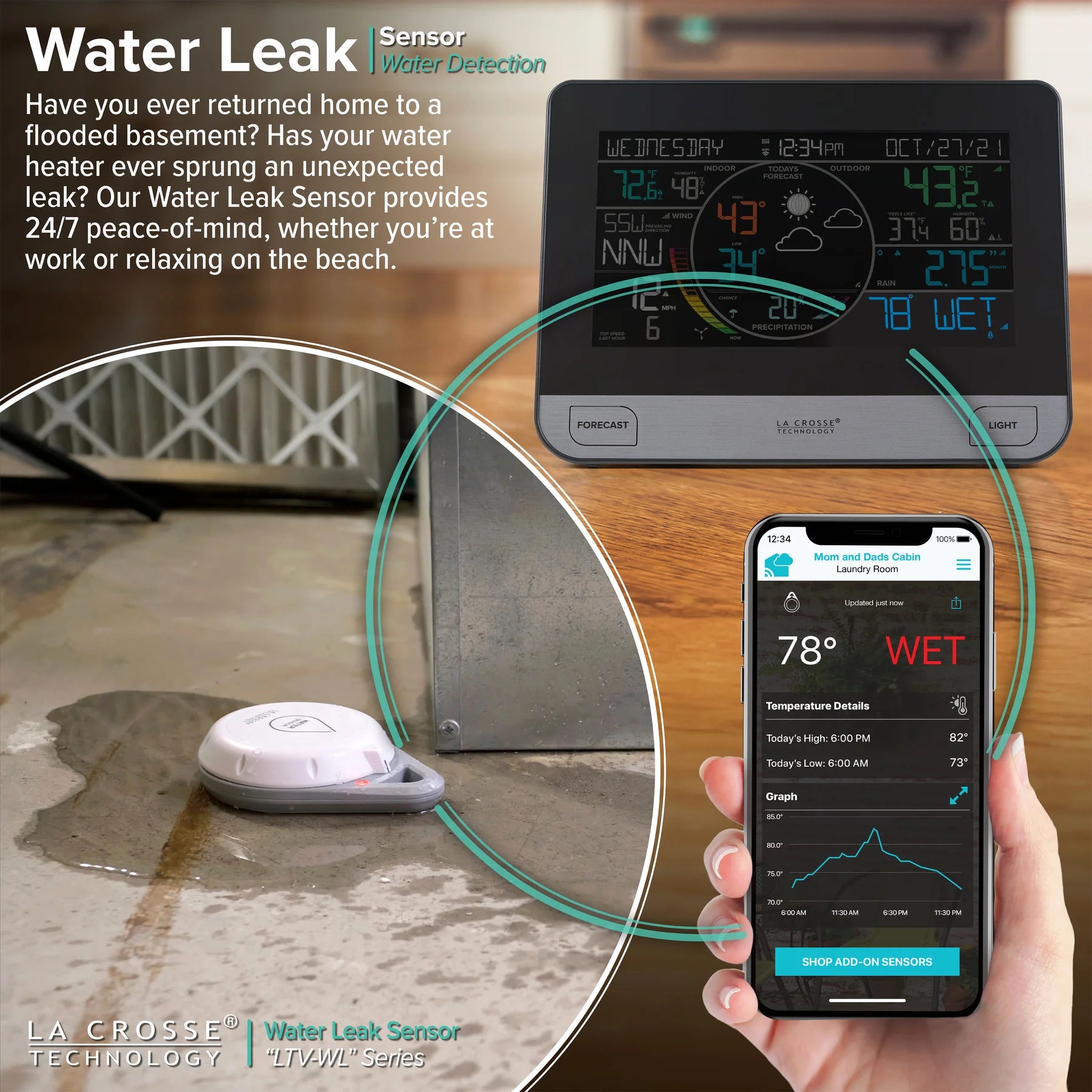
An optional compatible leak sensor, sold separately, can extend the system into vulnerable areas and send connected alerts when wet conditions are detected.
| LTV-TH2 | Temperature and humidity sensor |
|---|---|
| LTV-TH5I | Thermo-hygro sensor |
| LTV-WSDTH04 family | Breeze Pro wind speed, direction, outdoor temperature and humidity sensor; regional orientation versions are available |
| LTV-R3V2 | Additional or replacement rain gauge sensor |
| LTV-POOLV2 | Floating pool temperature sensor |
| LTV-WL1 | Spot water-leak sensor with ambient temperature |
| LTV-BBQ1 | BBQ and food temperature monitoring sensor |
| LTV-THP1-T1 | Temperature and humidity sensor with cabled temperature probe |
Sold separately: Every add-on sensor listed above is an optional accessory and is not included with the V61 weather station. Not every La Crosse View sensor presents every reading on the V61 display, so check the exact sensor's compatibility before purchase to confirm whether its data appears on the display, in the app, or both.
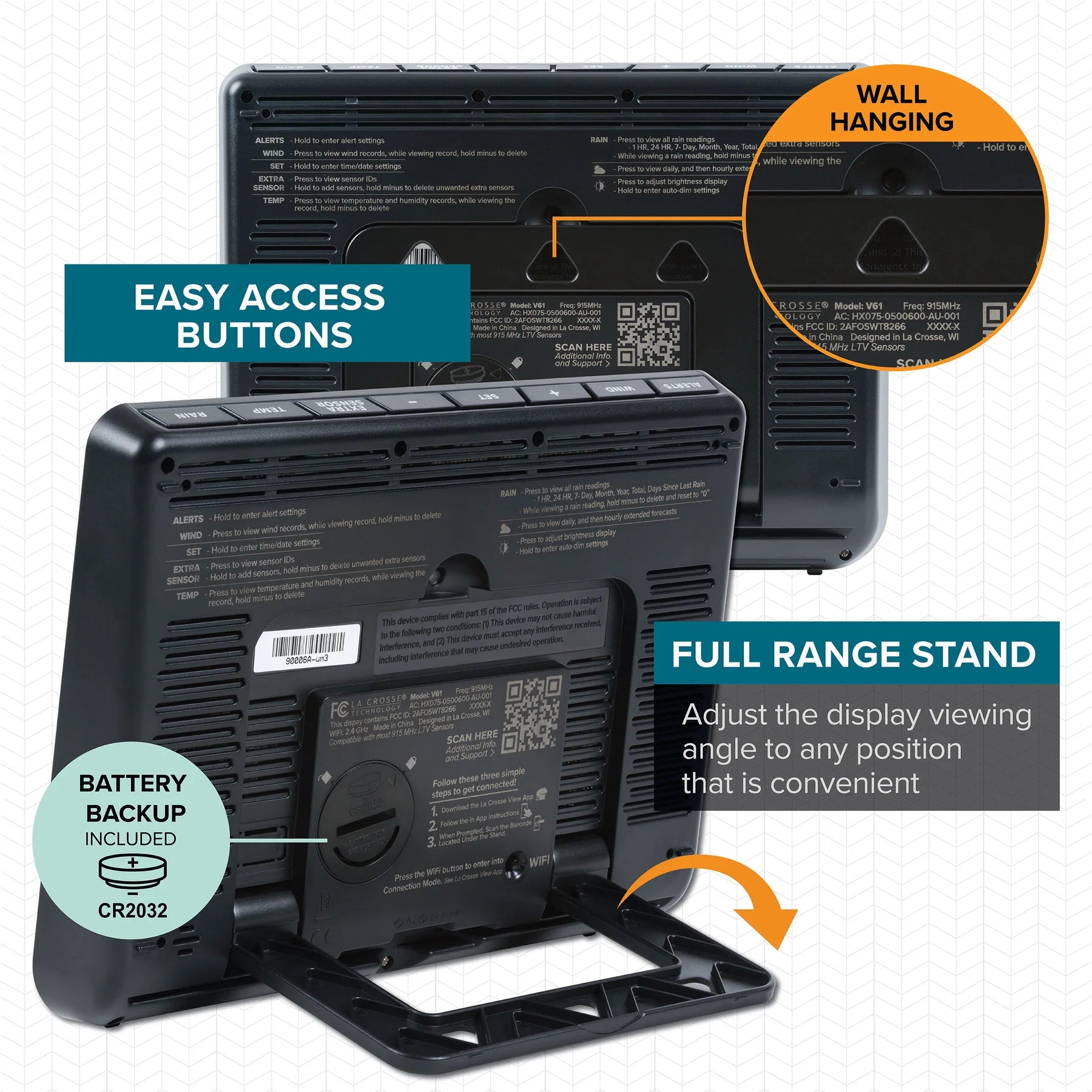
The console can stand on a desk or counter at an adjustable angle, or hang on a wall with the stand folded. Frequently used FORECAST and LIGHT controls are positioned on the front.


Use the adjustable stand on a desk or counter, fold it away for wall mounting, and access the rear controls and backup battery compartment when needed.
Adjust the backlight and contrast to suit different viewing conditions, with automatic dimming available for quieter overnight illumination.
Hold to enter Alert Settings. Press to confirm a setting and move to the next item.
Press to view Wind Speed History. While viewing a history value, hold MINUS to reset it.
Press to view Wi-Fi status. Hold to enter the Settings Menu.
Adjust values. In Alert Settings, use the buttons to arm or disarm an alert.
Press to view sensor ID numbers. Hold to add a sensor. While viewing a sensor ID, hold MINUS to delete that sensor.
Press to view temperature and humidity history. While viewing, hold MINUS to reset the selected history value. Hold TEMP to search for a TH reading.
Press to view Rain History. While viewing a history value, hold MINUS to reset it.
Press to view Daily or Hourly Forecast information. Hold to auto-scroll forecast data. Wi-Fi is required for connected Daily and Hourly forecasts.
Press to adjust backlight brightness. Hold to enter Auto-Dim settings.
Press during initial setup for Wi-Fi connection. Hold to re-enter Configuration Mode and clear previous Wi-Fi settings.
All sensors shown in this section are optional accessories sold separately. They are not included with the V61 weather station. Compatible add-on sensors can extend the V61 and La Crosse View system to monitor more of the places and conditions that matter around your home, from extra rooms and rainfall to water leaks, pool temperature and cooking probes.
Detailed specifications are grouped by the part of the system they relate to, beginning with the main display and primary measurements, followed by the outdoor sensors and connected functions.
| Brand | La Crosse Technology |
|---|---|
| Weather station model | V61 |
| Product number | C75716 |
| Product type | Complete wireless personal weather station with colour display, wind, direction, outdoor temperature, outdoor humidity, rainfall, indoor temperature, indoor humidity and relative pressure monitoring, plus optional Wi-Fi connectivity. |
| Display type | High-definition colour LCD with dedicated areas for time and calendar, indoor conditions, outdoor conditions, wind, forecast, rainfall or connected precipitation information, relative pressure and compatible extra-sensor data. |
| Indoor temperature range | 0°C to 50°C / 32°F to 122°F |
| Indoor humidity range | 10% to 98% RH |
| Relative pressure range | 800 to 1100 hPa / 23.62 to 32.48 inHg |
| Temperature units | Selectable °C or °F |
| Temperature presentation | Selectable decimal or whole-degree display for supported temperature readings. |
| Pressure units | Selectable hPa or inHg |
| Pressure calibration | Enter a known local relative-pressure value manually or allow the station to acclimate automatically. Automatic acclimation can take up to approximately 10 days. |
| Pressure trend | Five-state three-hour tendency indication: rapid rise, slow rise, steady, slow fall and rapid fall. |
| Backlight | Four brightness intensities plus Off, with programmable Auto-Dim start and stop hours. |
| Brightness levels | 100%, 50%, 20%, approximately 1.5% and Off. |
| Time format | Selectable 12-hour or 24-hour time. In 24-hour mode, seconds are shown in place of AM/PM markings. |
| Calendar | Year, month, date and weekday with selectable month/day or day/month order. Weekday is calculated automatically from the entered date. |
| Languages | English, Spanish, French and German for supported menus and calendar information. |
| Button sound | Selectable On or Off. |
| Status indicators | Wi-Fi status, Internet forecast availability, sensor reception, sensor data source and low-battery indicators. |
| Placement | Adjustable tabletop stand with integrated wall-hanging holes. |
| Primary power | 5 V AC adapter, included and required for normal illuminated display, live sensor updates and Wi-Fi operation. |
| Backup power | One CR2032 coin cell, included, for maintaining time/date and essential settings during a temporary power interruption. It does not provide normal live sensor or Wi-Fi operation by itself. |
| Display dimensions | Approximately 210.9 mm L × 28.8 mm W × 160.9 mm H / 8.30 in L × 1.13 in W × 6.33 in H |
| Indoor measurements | Current indoor temperature and relative humidity from the display. |
|---|---|
| Outdoor measurements | Current outdoor temperature, relative humidity, wind speed and wind direction from the Breeze Pro sensor, plus rainfall from the separate rain sensor. |
| Temperature and humidity HI/LO | Indoor and outdoor temperature and humidity high and low records with time and date stamps. |
| Feels Like | Uses wind chill when temperature is below 10°C / 50°F with at least approximately 8 km/h / 5 mph sustained wind, heat index above approximately 26.7°C / 80°F, and otherwise follows the current outdoor temperature. |
| Dew point | Available through the temperature history sequence. The dew-point value does not include a time/date stamp. |
| Wind history | Top wind-speed records for the previous hour, rolling 24 hours, rolling 7 days, current month and current year, with access to the previous 11 monthly records. |
| Rain history | 1 hour, rolling 24 hours, 7 days, current month, previous 11 months, rolling 12-month annual total and accumulated total since power-up or reset. |
| Days Since Last Rain | Begins counting after 24 hours without measurable rain and returns automatically to the last selected rainfall view when new rainfall is detected. |
| Individual record reset | Selected wind, rainfall, temperature and humidity history values can be reset individually. |
| Moon phase | 12 moon-phase stages calculated from the station date and shown in the forecast area from 7:00 pm to 6:59 am. |
| Sensor model | LTV-WSDTH04 Breeze Pro family / regional variant supplied with the V61 system. |
|---|---|
| Measurements | Wind speed, wind direction, outdoor temperature and outdoor relative humidity. |
| Wind speed range | 0 to 178 km/h / 0 to 111 mph |
| Wind direction | 360° measurement with 16 cardinal direction positions; the station can display direction as letters or degrees. |
| Outdoor temperature range | -40°C to 60°C / -40°F to 140°F |
| Outdoor humidity range | 10% to 99% RH |
| Wind sampling | Wind is sampled approximately every 3 seconds within each reporting cycle. |
| Normal update interval | Approximately every 31 seconds. |
| Current wind-speed reading | The highest sampled wind speed recorded during the approximately 31-second reporting cycle. |
| Top wind-speed reading | The highest wind speed recorded during the previous 60 minutes. |
| Prevailing direction | Dominant wind direction over the previous hour. |
| Wireless frequency | 915 MHz |
| Transmission range | Up to approximately 121.92 m / 400 ft in open air. |
| Power | Three AA batteries, not included. The integrated solar panel assists operation and battery life but does not replace the required batteries. |
| Mounting | Supplied mast, adjustable base, pole adapter, hand screw and mounting hardware. The pole adapter suits approximately 25.4 mm / 1 in outside-diameter conduit. |
| Orientation | Install level with the wind cups above the sensor body and follow the orientation marking supplied with the exact regional sensor for correct wind-direction reporting. |
| Approximate dimensions | Sensor and mounting dimensions can vary with the included Breeze Pro regional or bracket revision. |
| Sensor model | LTV-R3 family / compatible V61 rain-sensor revision. |
|---|---|
| Measurement | Liquid rainfall accumulation. |
| Rainfall range | 0 to 9999 mm / 0 to 393.6 in |
| Rainfall units | Selectable millimetres or inches. |
| Rain check interval | Approximately every 45 seconds. |
| Change-triggered update | A rainfall change of approximately 0.2 mm causes a new reading to be transmitted. |
| No-rain update | When rainfall is not changing, the sensor transmits approximately every 3 minutes to conserve battery power. |
| Wireless frequency | 915 MHz |
| Transmission range | Up to approximately 121.92 m / 400 ft in open air. |
| Power | Two AA batteries, not included. |
| Measuring mechanism | Removable collection funnel with an internal tipping rocker and bottom drainage openings for self-emptying operation. |
| Placement | Mount level and horizontally in an open area, preferably more than approximately 91.4 cm / 3 ft above the ground. |
| Snowfall | Does not directly measure snowfall. Melted snow entering the gauge may later be recorded as rainfall. |
| Dimensions | Approximately 182 mm L × 133 mm W × 120 mm H / 7.16 in L × 5.24 in W × 4.72 in H |
| Sensor radio frequency | 915 MHz |
|---|---|
| Maximum stated range | Up to approximately 121.92 m / 400 ft in open air between a sensor and the station. |
| Range conditions | The maximum is an open-air line-of-sight figure. Walls, windows, vegetation, concrete, stucco, metal objects, terrain and radio interference can reduce usable range. |
| Initial sensor search | After power-up, the station begins searching for the included sensors. Initial connection can take up to approximately 10 minutes. |
| Lost sensor indication | If communication is lost for an extended period, the corresponding display reading can change to dashes until the sensor reconnects. |
| Extra sensors on display | Up to four compatible additional sensors can be shown in the Extra Sensor area in addition to the system's primary measurements. |
| Extra sensor auto-scroll | Compatible extra-sensor readings can rotate automatically through the Extra Sensor display area. |
| Wi-Fi band | 2.4 GHz |
|---|---|
| Wi-Fi standards | IEEE 802.11 b/g/n |
| Network name and password | Each must not exceed 45 characters. |
| Network speed | Greater than 1 Mbps. |
| Multi-band routers | The station uses the 2.4 GHz band when connected to a compatible multi-band router. |
| Mobile platform | La Crosse View app for compatible iOS and Android devices with Wi-Fi or cellular service. |
| App sensor refresh | Typically approximately every 60 to 90 seconds. |
| Device registration | Display and sensor device IDs can be added by scanning their barcode or entering the ID manually in the La Crosse View app. |
| WPS | WPS provisioning is available for compatible routers with a dedicated WPS function. |
| Internet time | Time and date update automatically from the Internet while connected. |
| Connection-loss retention | The most recent Internet-supplied information can remain on the station for up to approximately 3 hours during a temporary app or service connection loss. |
| Standalone forecast source | Local barometric pressure trend measured by the station. |
|---|---|
| Standalone forecast horizon | Approximately the next 12 hours. |
| Standalone forecast icons | Sunny, partly sunny, clouds, rain, thunderstorm and snow. |
| Standalone learning period | Allow approximately 7 to 10 days in one location for the station to build pressure history and acclimate. |
| Connected forecast provider | AccuWeather through the La Crosse View service. |
| Hourly forecast | 12 hourly forecast screens. |
| Daily forecast | 7 daily forecast screens. |
| Connected forecast information | Expanded weather icons, forecast high and low temperatures, chance of precipitation and a graphical representation of expected rain or snowfall amounts. |
| Precipitation graph period | Forecast precipitation amount over the next 12 hours. |
| Connected service checks | The station checks the weather service at least four times per day for updated forecast and Internet time information. |
| Custom data streams | Supported AccuWeather data items or a custom text message of up to 20 characters. A selected custom message can take up to approximately 10 minutes to appear. |
| Number of station alert types | 10 configurable environmental alert types. |
|---|---|
| Wind and rain | High wind speed and 24-hour rainfall. |
| Outdoor conditions | High and low temperature; high and low humidity. |
| Indoor conditions | High and low temperature; high and low humidity. |
| Default state | Station alerts are Off by default and are activated individually. |
| Alert indication | The relevant value and alert icon flash when a threshold is reached. |
| Audible alert | Five beeps each minute while the value remains in the alert range. Pressing any station button silences the sound while the visual alert continues until the value moves out of range. |
| App alerts | La Crosse View push alerts are configured separately from the station's audible alerts. |
| LTV-TH2 | Temperature and humidity sensor. |
|---|---|
| LTV-TH5I | Thermo-hygro sensor. |
| LTV-WSDTH04 family | Compatible Breeze Pro wind, direction, temperature and humidity sensor family. |
| LTV-R3V2 | Compatible additional or replacement rain sensor. |
| LTV-POOLV2 | Floating pool temperature sensor. |
| LTV-WL1 | Water-leak sensor with ambient temperature monitoring. |
| LTV-BBQ1 | BBQ and food temperature sensor. |
| LTV-THP1-T1 | Temperature and humidity sensor with a cabled temperature probe. |
| Manufacturer limited warranty | 1 year from the date of purchase for qualifying manufacturing defects in materials and workmanship, subject to La Crosse Technology's warranty terms and regional conditions. |
|---|
The CR2032 is a time, date and settings backup. The 5 V adapter must remain connected for normal live sensor updates, the illuminated display and Wi-Fi service.
Core local measurements and the pressure-based forecast work without the app. Internet forecasts, automatic Internet time and remote access require a compatible Wi-Fi and Internet connection.
The station connects using 2.4 GHz 802.11 b/g/n Wi-Fi. A 5 GHz-only network is not compatible.
The stated 122 m / 400 ft wireless range is an open-air maximum. Building materials, metal, terrain, vegetation, interference and sensor placement can reduce real-world range.
Breeze Pro regional variants may use different orientation markings. Follow the marking and mounting instructions supplied with the actual sensor for correct wind-direction reporting.
Not every compatible La Crosse View sensor displays every reading directly on the V61. Depending on the sensor, information may appear on the station, in the app, or both.
Available app functions, optional subscription features and service availability can vary by region, account, app version and future service changes.
Standalone and Internet forecasts are estimates of future conditions and can differ from the weather experienced at the station's exact location.
The supplied documentation states a 1-year limited manufacturer warranty from the date of purchase for qualifying defects, subject to the applicable warranty terms.
Button-cell safety: the V61 display uses a CR2032 coin-cell backup battery. Keep new and used button batteries out of reach of children. Swallowing or inserting a button battery can cause severe internal injury and requires immediate urgent medical attention.
Battery life, wireless range, update timing and connected-service behaviour can vary with climate, signal conditions, placement, network performance, power source and battery quality. Sensor dimensions and mounting hardware can vary slightly between regional or revised sensor versions.